
Here is a number that will stop you mid-scroll: the average self-identified digital minimalist runs between 40 and 60 apps on their phone. Power users, the people who pride themselves on knowing every keyboard shortcut and integration trick, average closer to 35. The minimalists are winning the app count, and they have no idea. The reason why tells you something genuinely useful about how productivity actually works, versus how we assume it works.
This kind of counterintuitive gap shows up everywhere in tech. If you enjoy having your assumptions flipped, the piece on how digital minimalists outperform power users in creative work is worth reading before you go further, because it lays the cognitive groundwork for everything we are about to cover.
The Definition Problem Nobody Talks About
When most people say they are digital minimalists, they mean they want a cleaner, calmer relationship with technology. They do not mean they use fewer tools in total. What they actually mean is that they use fewer tools at the same time.
That distinction is everything.
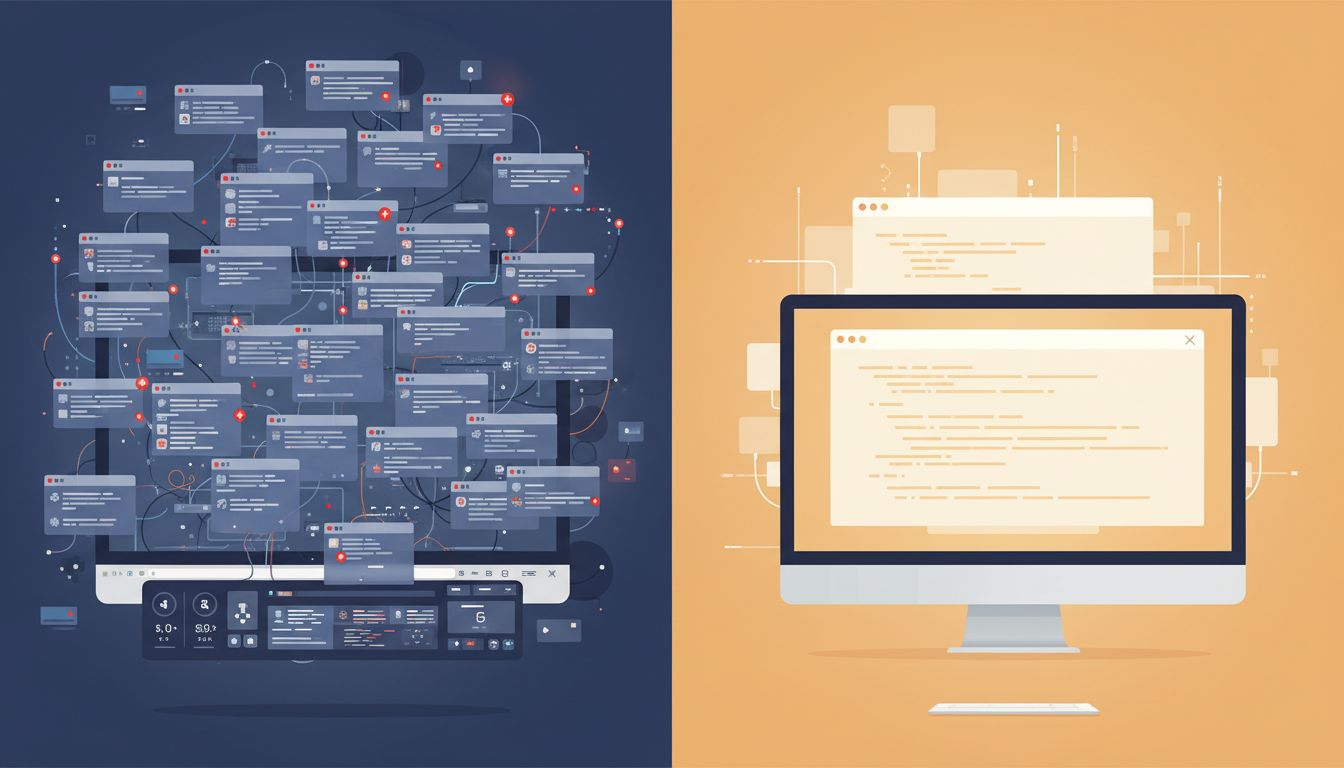
A power user runs Slack, email, a browser with 23 tabs, a project manager, a second project manager they switched to last quarter, a notes app, a second notes app for “quick captures,” and a habit tracker, all simultaneously, all demanding attention. A digital minimalist might have all of those tools installed, but they only open one at a time, for a specific purpose, and then they close it.
The app count is almost irrelevant. The cognitive load of simultaneous activation is the variable that actually matters.
Why Power Users Fall Into the Accumulation Trap
Power users accumulate apps for a very rational-sounding reason: they are optimizing. Every new tool promises to close a gap, automate a step, or shave minutes off a workflow. And individually, each choice is defensible. The problem is that optimization at the tool level does not always produce optimization at the output level.
Each open application is essentially billing your brain for attention, even when you are not actively using it. Researchers studying multitasking environments have found that the mere presence of notifications, even muted ones, degrades focused performance. You are paying a context switch tax every time your environment signals that something else might need your attention, and power user setups are basically a tax farm.
Digital minimalists, by contrast, tend to have a larger library of specialized tools that they rotate through intentionally. They might use a dedicated writing app, a separate research tool, a focused task manager, and a clean calendar app. More apps, but activated one at a time, for defined sessions. The library is big. The simultaneous footprint is tiny.
The App Architecture That Actually Works
If you want to adopt what the minimalists are actually doing (rather than what they say they are doing), think about your tools in three distinct layers.
Layer 1: Your always-open core. This should be brutally small. One communication hub. One calendar. That is often it. These are tools you leave running because they serve a coordination function, not a creation function.
Layer 2: Your session tools. These are apps you open for a specific block of time and then close completely. A writing app during your writing block. A spreadsheet during your analysis block. A code editor during your build time. The key word is “completely closed” when the session ends. Not minimized. Closed.
Layer 3: Your reference library. This is where the app count actually lives for minimalists, and it is fine for it to be large. Password managers, documentation tools, specialized converters, research databases. You open them, grab what you need, and leave. They do not live in your taskbar or dock. They live somewhere you have to go intentionally.
When you structure things this way, something interesting happens. You start choosing better tools for each layer because the role is clearer. You stop downloading productivity apps that are really just Layer 1 tools wearing Layer 2 clothing.
The Design Trick That Keeps You Confused
Here is where it gets a little uncomfortable. The reason most people never figure out this distinction is partly by design. The most successful apps want to live in your Layer 1, because constant presence means constant habit formation. As we have covered before, successful apps are designed to be forgotten, which means they aim to become ambient, backgrounded, always-on. That is great for retention metrics and very bad for your context-switching overhead.
When an app wants to be in your dock, your notification center, your startup sequence, and your mobile home screen simultaneously, it is not doing that because it serves you better from there. It is doing that because presence equals stickiness, and stickiness equals revenue.
The minimalist move is to be deliberate about what earns permanent real estate in your environment. Most tools do not deserve it.
A Practical Reset You Can Do This Week
You do not need to delete anything to get the benefit here. The shift is architectural, not numerical.
Start by auditing what is open right now. Not what is installed. What is currently running. Count the applications, browser tabs, and notification sources that are live at this moment. That number is your current simultaneous footprint, and for most people it is startling.
Next, sort everything you use regularly into the three layers above. Be honest about what is actually a session tool that has snuck into your permanent environment. Slack is a classic offender. So is Twitter, email, and honestly, most project management tools.
Then run one work session where you enforce the layers strictly. Close everything that is not Layer 1. Open only the single session tool you need. Note what happens to your output quality and your stress level.
Most people who try this report that they get more done in a two-hour focused session than they typically accomplish in a full workday of ambient multitasking. That tracks with research on how top performers structure their offline time, which consistently shows that intentional absence from tools produces more output, not less.
The minimalists were never telling you to have fewer apps. They were telling you to stop letting your apps have you, all at once, all the time. That is a much more useful instruction, and now you have a framework to actually act on it.





