
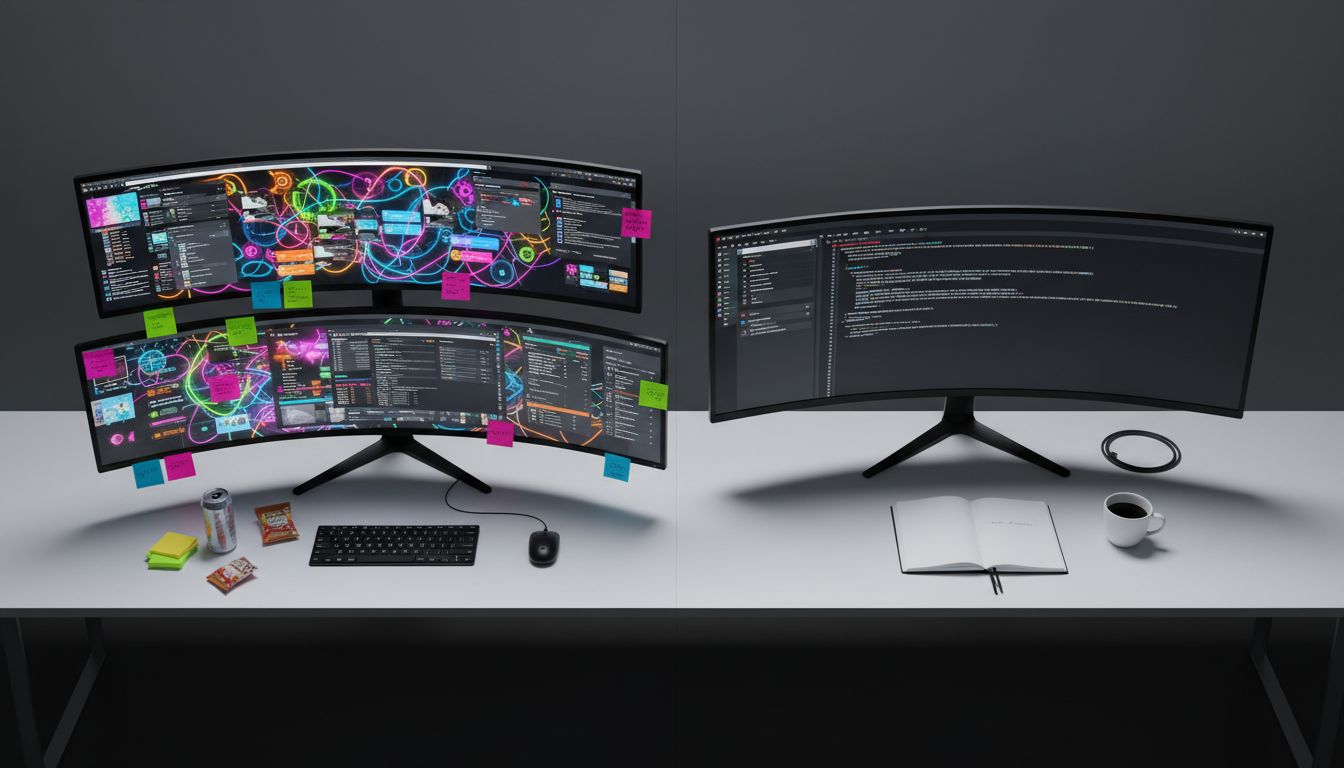
Here is something that should bother every developer who has spent hours perfecting their setup: the engineer with six monitors, forty browser extensions, and a custom Hammerspoon config is almost certainly doing less meaningful work than the one with a plain text editor and a single terminal window. Not because the minimalist is more disciplined or virtuous. Because the maximalist setup is, architecturally speaking, a poorly designed system that burns its own resources.
This is not a productivity lifestyle argument. It is a technical one, and once you see it through that lens, the whole conversation changes. Elite software teams already understand a version of this, using specific cognitive science principles to ship dramatically faster than their peers, but the deeper reason why simplicity wins is something most people have never framed correctly.
Your Brain Has a Fixed Bandwidth Budget
Cognitive load theory, first articulated by educational psychologist John Sweller in the 1980s, describes the total amount of mental effort being used in working memory at any given moment. Working memory is not like disk storage. It is more like CPU cache: extremely fast, extremely limited, and critical for anything requiring active reasoning.
Researchers have measured working memory capacity fairly consistently across adults. The number is somewhere between four and seven distinct “chunks” of information at one time. That is it. That is the whole budget.
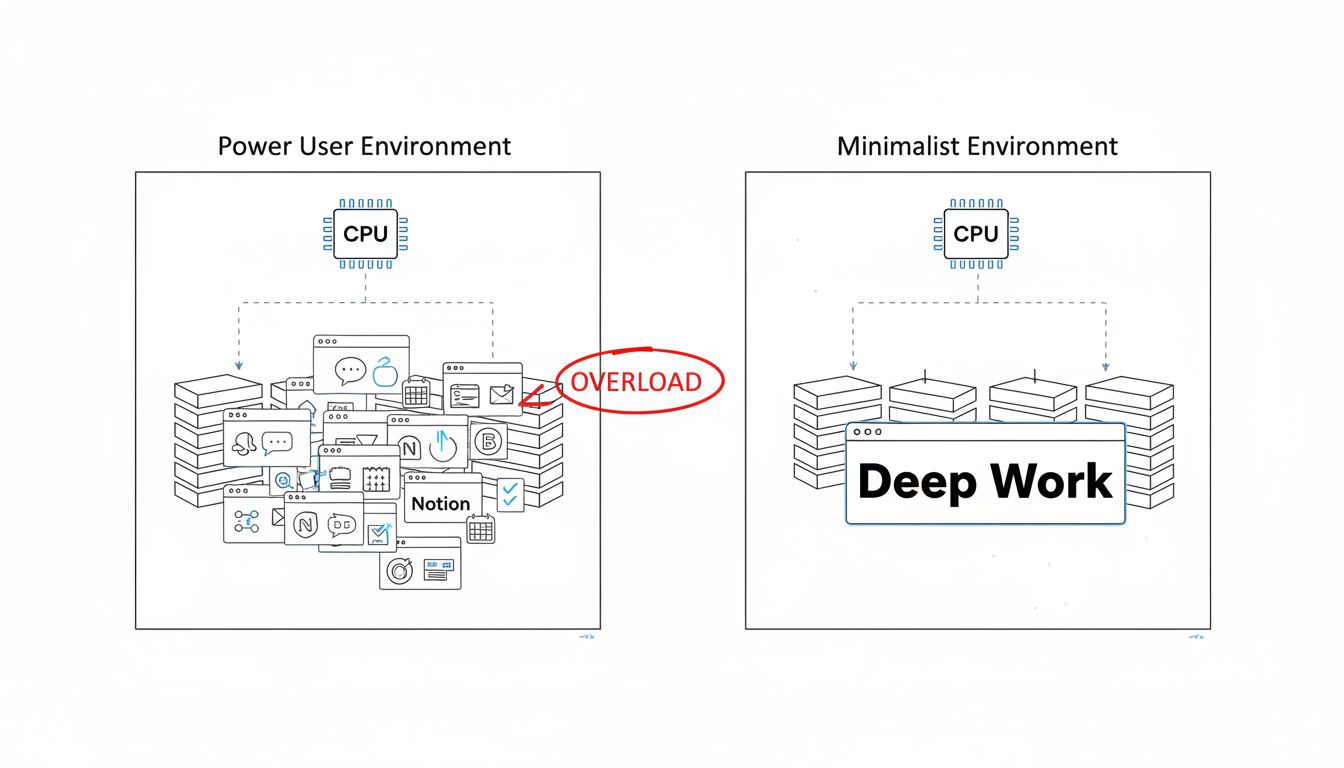
Now think about what a typical power user setup demands. You have Slack with twelve channels flagged for attention. You have a browser with thirty tabs, several of which are playing audio. You have a Notion dashboard with a live task count, a calendar widget, three embedded databases, and a sidebar of nested pages. Each of these is not just present visually. Each one is making a small but real claim on that working memory cache.
This phenomenon is called extraneous cognitive load, meaning mental effort spent on things other than the actual problem you are solving. The counterpart is germane cognitive load, the effort that goes into deep understanding and actual work. These two types do not run in parallel. They compete. When extraneous load goes up, germane load goes down. Your brain does not get to vote on this. It is not a setting you can change.
The Notification as a Context Switch Tax
In operating systems, a context switch is what happens when the CPU stops executing one process and starts executing another. It sounds instantaneous but it is not. The CPU has to save the current process state, load the new one, and rebuild whatever was in its various caches. On modern hardware this happens in microseconds, but do it millions of times and you feel it in overall throughput.
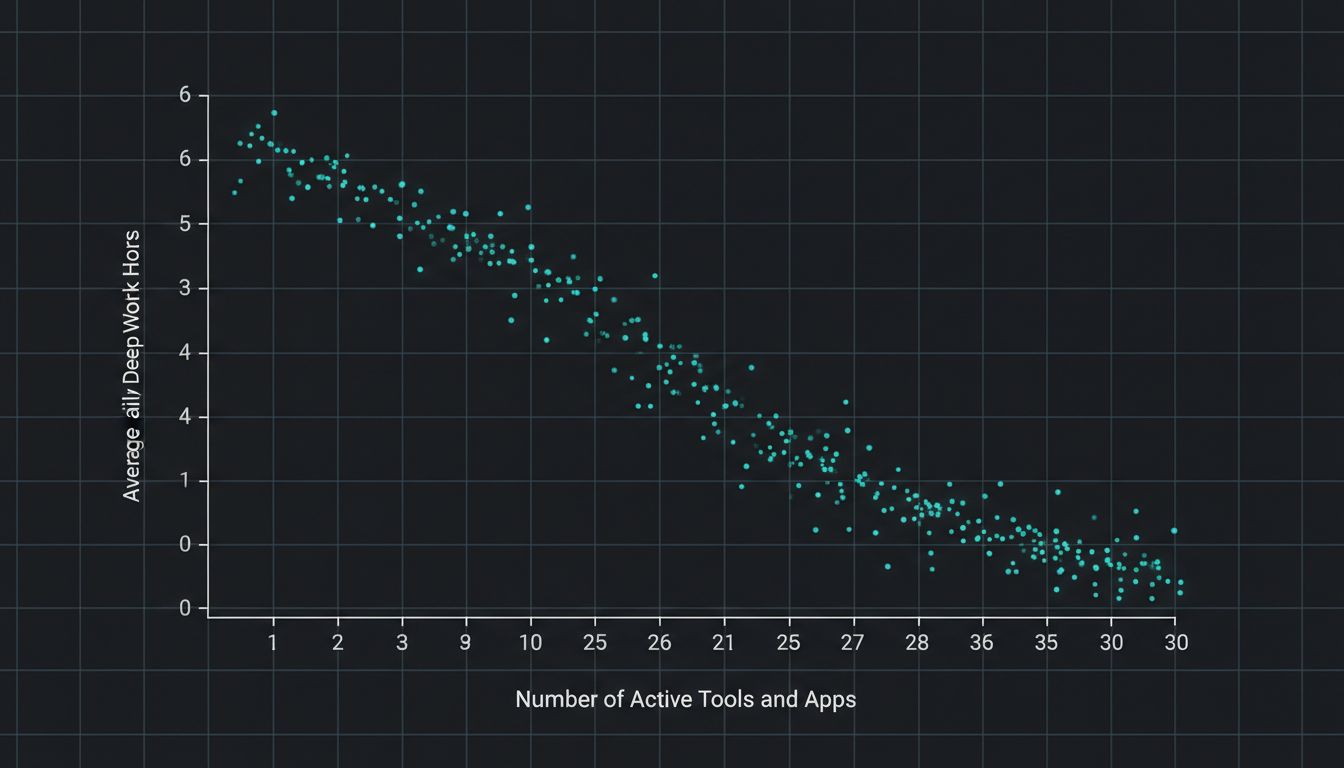
Human context switching works on a much uglier timescale. Research out of UC Irvine found that after an interruption, it takes an average of twenty-three minutes to return to a task with the same depth of focus. A notification does not cost you the three seconds it takes to glance at it. It costs you the twenty-three minutes of recovery. Multiply that by the average knowledge worker’s twelve daily interruptions and you have burned through four and a half hours of deep work potential before you have written a single meaningful line of code.
Power users often respond to this by adding more tools. A focus timer app. A notification manager. A second tool to manage the first tool. This is the exact pattern you see in codebases that have accrued too much technical debt: each new abstraction is added to manage the complexity of the previous one, until the system spends most of its time managing itself. It is no coincidence that the same failure mode appears in digital transformation projects, which fail 84% of the time precisely because teams keep layering solutions onto the wrong problem.
Constraints as a Performance Feature, Not a Bug
Here is where the minimalist advantage becomes genuinely interesting from an engineering standpoint. Constraints do not just reduce cognitive load passively. They actively improve decision quality.
When you have one text editor and no other options, you make a decision once: this is the tool. You stop re-evaluating. You stop customizing. You stop reading “best Neovim plugins of the year” articles. The mental energy that would have gone into tool selection and maintenance gets redirected entirely toward the work itself.
This is the same logic behind why most billion-dollar apps launched with only three core functions. The constraint was not a limitation imposed by circumstances. It was a deliberate architectural decision that forced clarity about what actually mattered. Instagram launched with filters, a feed, and a camera. Twitter launched with a text box and a character limit. The constraint compressed all the decision-making surface area down to the problem itself.
A minimalist digital environment does the same thing. It removes the meta-layer of decisions about your environment so that cognitive resources flow entirely toward first-order work.
The Attention Residue Problem
Psychologist Sophie Leroy introduced the concept of “attention residue” in 2009. The idea is that when you switch from task A to task B, part of your cognitive process stays stuck on task A. It does not follow your conscious attention to the new task. It lingers. And the more unresolved or complex task A is, the more residue it leaves behind.
A maxed-out environment is an attention residue factory. Every open tab, every unread badge, every half-finished Kanban card is an unresolved state that your brain continues to partially process in the background. This is why digital note-taking apps are arguably solving the wrong problem: they give you a place to put information but do nothing about the cognitive overhead of maintaining a sprawling, interconnected system of notes that your brain keeps trying to cross-reference.
The minimalist removes unresolved states from the environment entirely. Fewer open loops means less residue. Less residue means higher quality attention on whatever is in front of you right now.
What This Looks Like in Practice
The practical implementation is less dramatic than the principle. It is not about owning fewer things or performing simplicity. It is about treating your cognitive resources with the same respect you would treat CPU time or memory allocation.
Close tabs when you are done with them. Not as a discipline exercise. Because an open tab is a process consuming cache. Reduce your notification surface to the minimum required for your actual job. Not because notifications are bad, but because each one is a scheduled interrupt with a 23-minute recovery cost. Choose tools that do one thing well and resist the urge to add another tool when the first one has friction. Friction in a tool is often information: it tells you where your process has unclear ownership.
Successful teams have validated this at scale by deleting entire communication channels and watching their output speed increase as a direct result. The same principle applies at the individual level.
The power user is not more capable. They are simply running a system with too many competing processes and calling it horsepower. The minimalist has done something that any experienced engineer recognizes immediately as good design: they have eliminated unnecessary load from a constrained resource and routed that capacity toward the only thing that actually matters.





