The Official Story Is Incomplete
Ask a developer why they use dark mode and you’ll get a confident answer: it’s easier on the eyes. Less strain during long sessions. Better for working at night. Some will mention OLED screens burning in less power. These are real benefits, and none of them are the main reason.
The preference for dark interfaces among software engineers is deeper and more specific than general eye comfort. It’s tied to how code is actually parsed visually, how working memory functions under sustained cognitive load, and a subtle but important distinction between reading prose and reading syntax. Unpacking it properly means understanding a few things about how your visual system and your working memory interact under the specific conditions of programming.
Contrast Polarity and Why It’s Not Symmetric
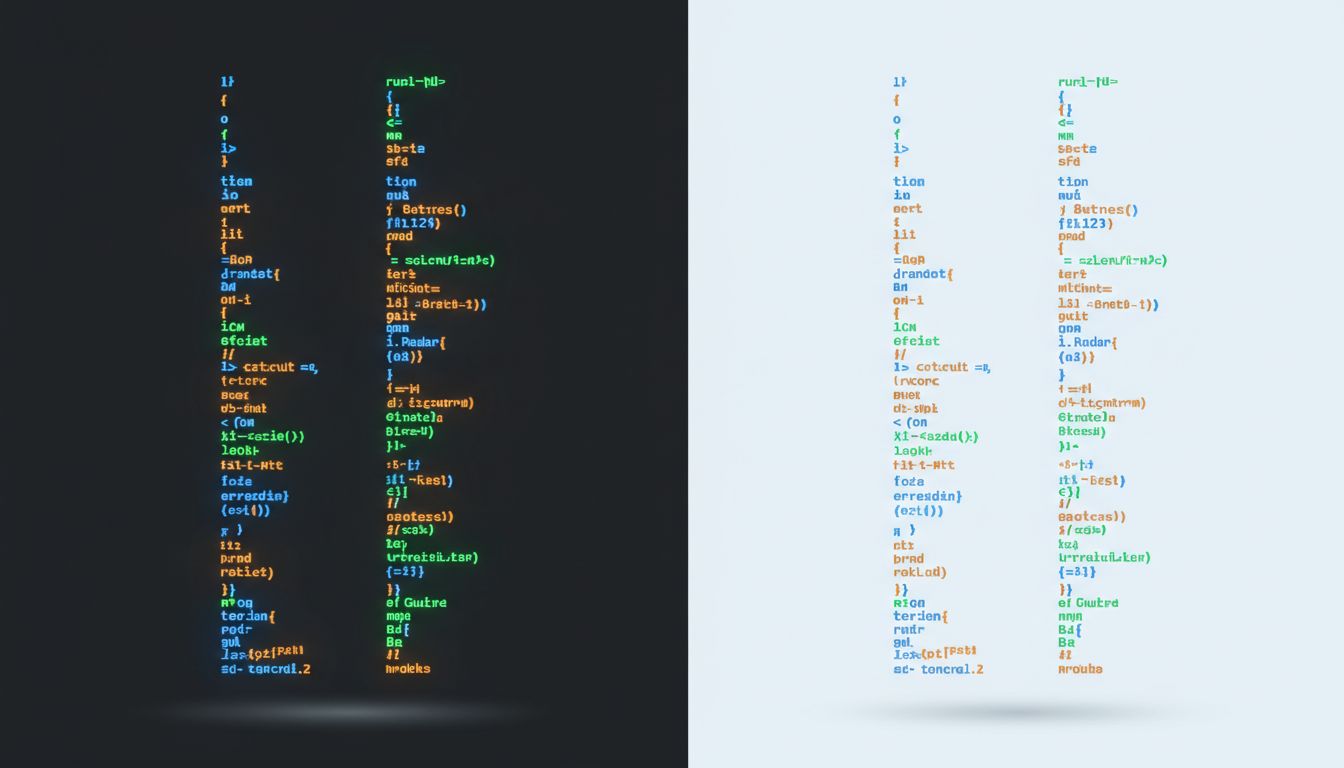
In display design, “contrast polarity” refers to the relationship between text and background brightness. Positive polarity means dark text on a light background (like this article). Negative polarity means light text on a dark background (like most code editors in dark mode).
Research on reading has consistently found that positive polarity improves performance on tasks involving continuous prose reading. People read faster and with fewer errors when black text sits on a white background. This is why books, newspapers, and most web content defaults to light mode. The visual system evolved in daylight, and the pupil response under high ambient light tightens, improving depth of field and reducing chromatic aberration at the edges of the lens.
But here’s the thing: code is not prose. The cognitive task of reading a function definition is structurally different from reading a paragraph. When you read prose, you’re tracking semantic meaning across linear sequences of words. When you read code, you’re doing something closer to parsing a formal grammar, simultaneously tracking structural nesting (indentation levels, bracket matching), token types (keywords vs. identifiers vs. operators), and control flow across non-linear jumps.
That distinction matters for contrast polarity. The benefit of positive polarity in prose reading comes largely from better small-detail resolution, which matters when distinguishing letters in a continuous stream. In code, the signal you’re tracking is often color, not fine letterform detail. Syntax highlighting, which is now essentially universal in development environments, is doing serious visual work. And syntax highlighting renders differently depending on whether it’s sitting on a dark or light background.
How Syntax Highlighting Actually Works in the Brain
Syntax highlighting works by assigning colors to token categories: keywords (like if, for, return) get one color, string literals get another, function names another, comments another. The purpose is to let a developer’s visual system pre-attentively classify tokens before conscious parsing even begins. Pre-attentive processing is the neurological stage before focused attention, where basic visual features like color, orientation, and size are detected in parallel across the visual field.
For pre-attentive color discrimination to work well, you need sufficient contrast between the highlight colors and the background. On a white background, many saturated colors become harder to distinguish because the high baseline luminance compresses the perceived difference between, say, a medium blue and a medium green. On a dark background, those same colors pop with much greater distinction. The visual system is doing color detection against a low-luminance baseline, which increases the perceptual separation between hues.
This is why dark mode code editors don’t just feel better, they actually make the syntax-highlighting system more effective at its job. When a developer glances at a block of code, they’re not reading every token sequentially. They’re scanning for structural landmarks: where does this function end, is that a comment or executable code, what’s the return type here. The color system is doing the first pass of that work. Dark mode gives that color system more signal to work with.

Working Memory Is the Real Bottleneck
Programming is one of the most working-memory-intensive tasks a knowledge worker regularly performs. Working memory, the cognitive system that holds active information for immediate use, has a capacity of roughly four chunks of information at a time in most people (this is the Cowan model, which has largely replaced the older “seven plus or minus two” figure from Miller). When you’re tracing through a complex function, you’re holding the call stack in working memory, the current variable states, the logical branch you’re evaluating, and whatever precondition you’re trying to verify. That’s a system running near capacity.
Anything that offloads cognitive work from conscious processing to the visual system frees up working memory for the actual problem. This is the real reason that experienced developers are so particular about their editor setup. It’s not aesthetics. Every time the visual system can classify a token type or identify a structural boundary without conscious effort, that’s working memory capacity preserved for reasoning. Dark mode, with its enhanced syntax highlight discrimination, is doing real cognitive work.
This also explains why developers are so resistant to switching editors or color schemes once they’ve found one that works. The investment isn’t sentimental. A developer who has internalized a color scheme has built a pre-attentive lookup table: this particular teal means a function call, that orange means a string literal. The lookup is instant and unconscious. Switching schemes means rebuilding that table from scratch, and during the rebuild period, what was automatic becomes effortful, burning working memory that should be going to problem-solving.
The Terminal Was Dark Before It Was Cool
There’s also a historical thread worth following. The dark interface preference in developer culture didn’t start as an aesthetic choice; it was the default of the technology itself. Early computer terminals like the VT100 displayed green or amber phosphor characters on a black screen because that’s how cathode-ray tube technology worked in that configuration. The first programmers didn’t choose dark mode. Dark mode was the medium.
When GUI-based operating systems arrived in the 1980s and early 1990s and defaulted to light interfaces (partly to mimic paper, partly because it was easier to render readable text on the limited displays of the era), the terminal remained dark. Developers kept working in terminals. The IDEs that developers adopted, once they did adopt graphical editors, inherited the terminal aesthetic because the people building them had formed their visual habits in that environment.
This means the dark mode preference has a self-reinforcing cultural component layered on top of the genuine perceptual advantages. Developers who learned to program reading white-on-black terminal output developed their syntax-recognition systems calibrated to that polarity. The preferences compound across generations of practitioners who taught themselves using dark-background tools.
OLED, Power Draw, and the Hardware Argument
The hardware argument for dark mode is real but narrower than it’s often presented. On OLED and AMOLED displays (found in most modern smartphones and some laptops), individual pixels generate their own light. A black pixel on an OLED screen is a pixel that is literally off, drawing essentially no power. Google published findings from testing on Pixel devices showing that a fully white screen at maximum brightness drew significantly more power than a fully black screen, and that dark mode in apps like Google Maps produced measurable battery savings.
But most developers spend their working hours on desktop monitors or laptop LCD screens where the backlight is always on at a fixed luminance regardless of what the pixels are displaying. On an LCD, dark mode saves essentially no power. The hardware argument is compelling on phones and irrelevant on the workstations where most developers actually write code.
So the OLED power argument is true, but it’s not why developers who work on desktop setups prefer dark mode. It’s a valid secondary benefit that gets over-cited because it’s easy to explain and sounds more concrete than a discussion of pre-attentive visual processing.
What This Means
The preference for dark mode in developer tools is overdetermined, meaning several independent factors point in the same direction simultaneously. The historical accident of terminal hardware, the perceptual advantage for syntax-highlighting discrimination, the working memory economics of experienced coders, the cultural transmission of habits across generations of developers, and the genuine OLED power savings on mobile hardware all converge on the same preference.
What’s worth taking away from this is the principle underneath it. The tools and environments developers optimize for are often optimizing something specific and non-obvious about the cognitive task. The choices that look like personal preference often turn out to be practical adaptations to real constraints in attention, memory, or perception.
Dark mode is a small example of a larger pattern: the interface that looks right for the work is usually right for reasons that are worth understanding. Eye strain is a real cost, but it’s the symptom the user can name, not the mechanism doing the most work. The deeper mechanism is about keeping the visual system useful as a cognitive offload tool for the eight hours a day when working memory is running hot.