
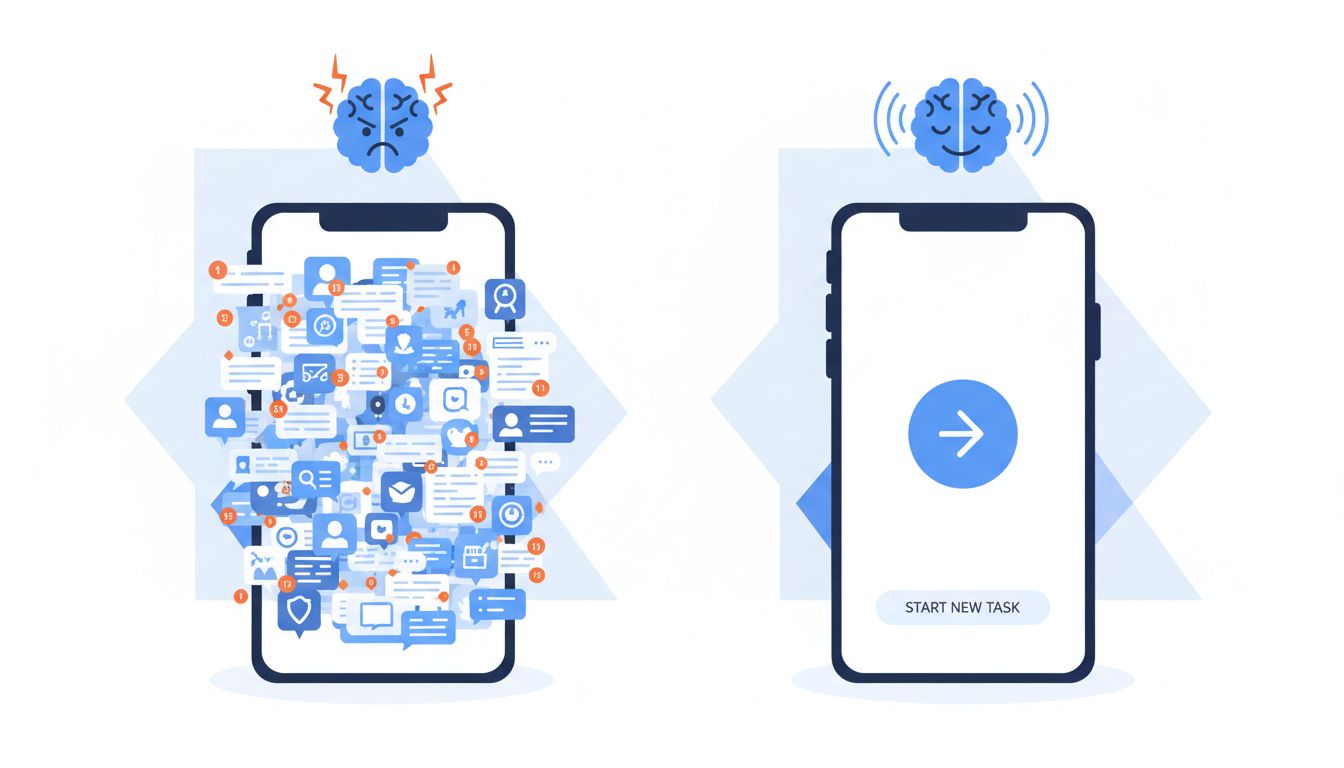
You open an app, find what you need in seconds, and close it feeling accomplished. You open a different app, click around for three minutes, and close it feeling vaguely annoyed. The difference between those two experiences is rarely accidental. The best tech companies spend enormous resources engineering exactly how much mental effort their software demands from you, and they do it using a framework developed by educational psychologist John Sweller back in 1988.
Cognitive Load Theory was originally designed to explain how students learn. Today it quietly shapes the apps you use every morning. Understanding how it works gives you a real advantage, whether you’re building software, choosing tools for your team, or just trying to understand why certain products feel so much better than others.
What Cognitive Load Theory Actually Says
The core idea is straightforward. Your working memory has a limited capacity. When an interface demands more mental effort than your working memory can comfortably handle, you feel friction, make mistakes, and eventually give up. When an interface stays within that capacity, everything feels smooth and intuitive.
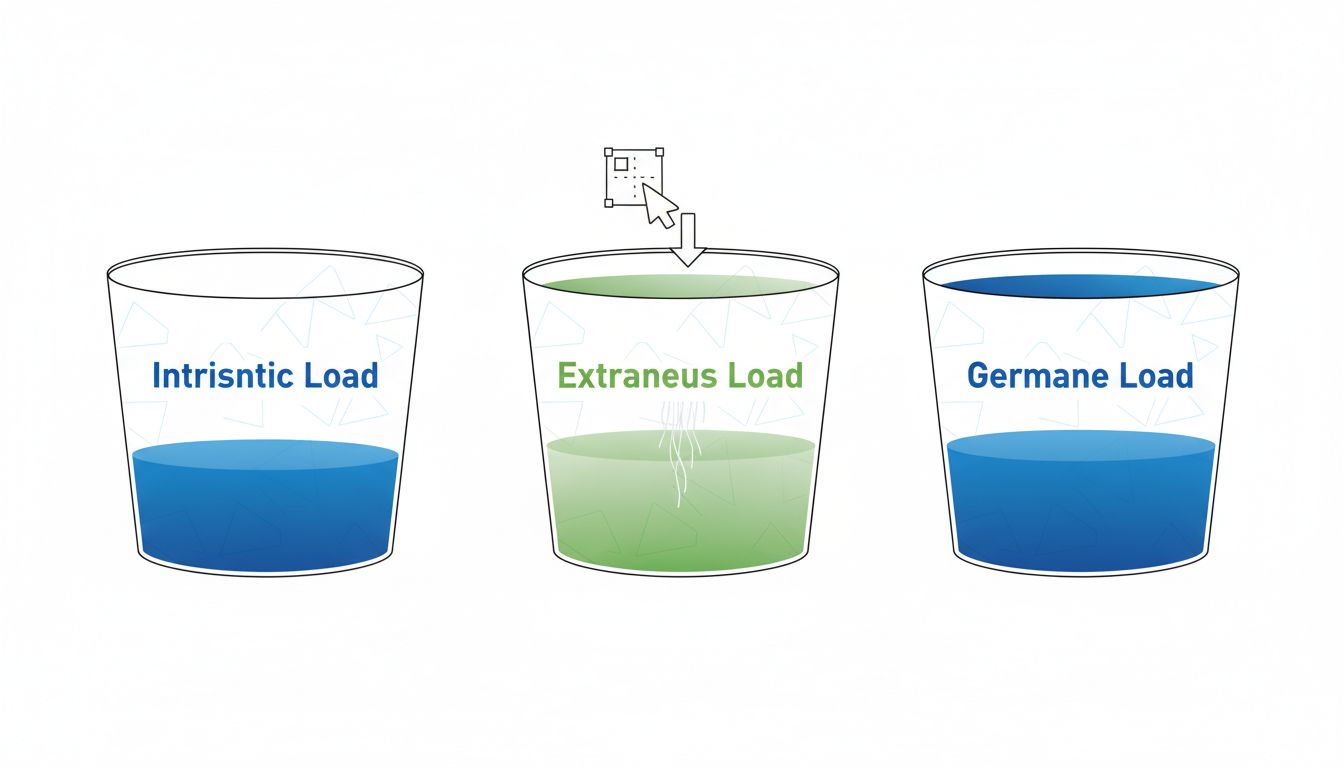
Sweller identified three types of cognitive load. Intrinsic load is the inherent complexity of the task itself (filing taxes is just complicated, no matter how good the software is). Extraneous load is the mental effort caused by poor design, unnecessary steps, and confusing layouts. Germane load is the productive mental work that actually helps you build understanding and skill. Good design reduces extraneous load as close to zero as possible, leaving room for the intrinsic complexity and the germane learning that actually matters to you.
The practical takeaway: every button, label, animation, and color choice either adds to your cognitive load or reduces it. Nothing is neutral.
How Top Apps Engineer Low Friction
Here is where theory becomes something you can actually use. The best-designed apps share a few consistent patterns, and once you recognize them, you’ll spot them everywhere.
Progressive disclosure is the practice of showing you only what you need right now and hiding everything else. Spotify’s home screen doesn’t show you every feature the app has. It shows you what you probably want to play next. Settings, library management, and social features exist, but they stay out of your way until you go looking. This directly reduces extraneous load.
Recognition over recall is another major principle. Good apps don’t make you remember where things are. They show you options and let you recognize the right one. This is why dropdown menus, autocomplete, and visual icons dominate well-designed interfaces. When an app forces you to remember a command, a shortcut, or a file path, it’s adding cognitive load that the design itself could eliminate.
Chunking refers to grouping related information so your brain can process it as a single unit rather than many separate pieces. A phone number written as 8005551234 is harder to process than 800-555-1234. The same logic applies to dashboards, settings menus, and onboarding flows. When information is chunked well, you absorb more of it with less effort.
This connects directly to why most billion-dollar apps launched with only three core functions. Constraint isn’t just a business strategy. It’s a cognitive one. Fewer functions means lower extraneous load, which means users actually succeed with the product, which means retention goes up.

The Onboarding Problem Most Companies Get Wrong
Onboarding is where cognitive load theory is violated most often and most expensively. Companies treat first-time user experiences as opportunities to educate, which usually means overwhelming you with feature tours, tooltips, permission requests, and setup wizards before you’ve done anything meaningful with the product.
The research is pretty clear on what works instead. Give users one win as fast as possible. Duolingo doesn’t ask you to set up an account before your first lesson. You start learning immediately. The account creation comes later, after you’ve already experienced value. That sequencing matters enormously because it keeps intrinsic load manageable at the moment when your working memory is already busy processing a new environment.
The same logic explains why elite software teams use cognitive science principles to ship faster. When developers reduce the cognitive load of their own workflows, they make fewer errors and move with more confidence. The theory applies to builders as much as it applies to users.
What You Can Apply Right Now
Whether you’re evaluating tools for your team or designing something yourself, here’s a practical framework for auditing cognitive load.
Step 1: Count the decisions. Open an app and count every decision you have to make to complete your most common task. Each decision is a unit of cognitive load. If the number is high, the design has room to improve.
Step 2: Look for information you have to remember. If completing a task requires you to hold information in your head from one screen to another, the app is offloading its design problems onto your brain. Good interfaces surface the information you need at exactly the moment you need it.
Step 3: Notice what’s competing for your attention. Notifications, animations, badge counts, and promotional banners all demand a slice of your working memory even when you’re trying to focus on something else. This is worth paying attention to, especially if you’ve noticed that digital note-taking apps sometimes leave you more scattered than when you started.
Step 4: Test with a stranger. Give someone unfamiliar with your tool a task and watch them without helping. Every moment of hesitation is a signal that extraneous load is too high at that point in the experience.
The Invisible Competitive Advantage
Cognitive load management rarely shows up in feature lists or marketing copy. You won’t see “reduced extraneous load” in an app store description. But it is one of the most durable competitive advantages a product can have, because it directly determines whether people feel capable and confident using your software, or frustrated and exhausted.
Companies that get this right tend to earn loyalty that is surprisingly hard to explain. Users will say the app just feels right, or that it fits the way they think. What they’re describing, usually without knowing it, is a product that respects the limits of working memory and designs around them with care.
The next time an app feels effortless, pause for a second and look at what it’s hiding from you, what it’s surfacing at exactly the right moment, and how few decisions it’s asking you to make. That’s not simplicity for simplicity’s sake. That’s cognitive load theory doing its quiet, invisible work.





