
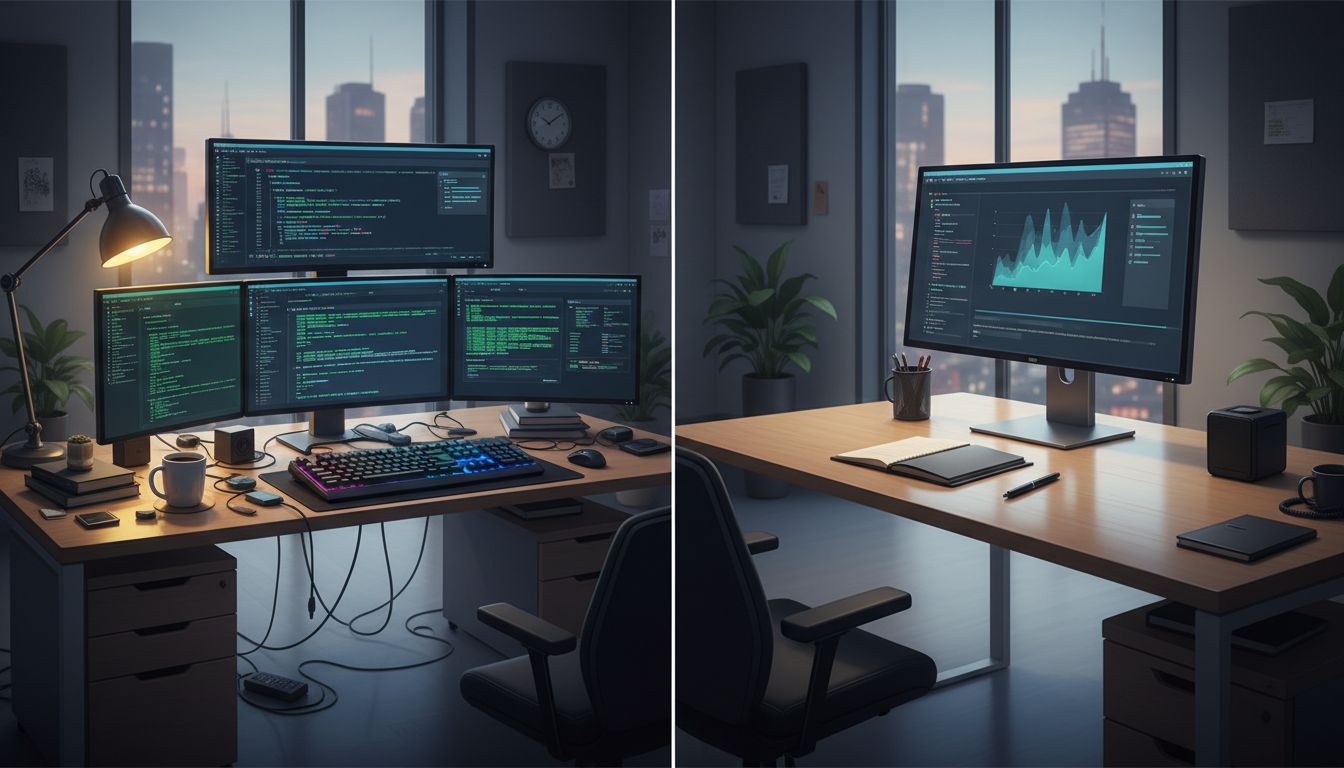
Walk into any engineering floor and you’ll see the same thing: developers surrounded by two, three, sometimes four monitors, each one packed with terminals, documentation, Slack, and code. Walk into the CEO suite down the hall and you’ll often find a single, elegant screen, maybe a laptop with nothing else attached. Same company, same Wi-Fi, completely different setups. This isn’t accidental, and it isn’t about budget. It’s about the fundamentally different nature of the work each person does, and understanding that difference can help you design a workspace that actually fits your brain.
This connects to a broader pattern in how top performers think about their tools. Digital minimalists actually use more apps than power users, and the logic there rhymes with the monitor question: it’s not about having more or less, it’s about whether the setup matches the cognitive task in front of you.
Why Developers Need More Screen Real Estate
When a developer is debugging a feature, they’re typically holding multiple mental models at once. There’s the code they’re writing, the error output telling them what broke, the documentation for the library they’re using, and often a second file showing the function they’re trying to call. Switching between these by alt-tabbing isn’t just annoying, it’s genuinely expensive for your brain.
Research on working memory consistently shows that the cost of switching context isn’t just the seconds it takes to switch. It’s the mental effort of reconstructing where you were. Every time you minimize a window and open another, you’re asking your brain to reload a mental state it had already cached. Across a full workday, that overhead adds up to something real.
Multiple monitors eliminate that switching cost for certain task types. When your terminal output is on the left, your code is in the center, and your documentation is on the right, your eyes do the context switching instead of your brain. That’s a much cheaper operation.
This is why the multi-monitor setup is almost universal among people doing what researchers call “parallel reference tasks”: jobs where you need to look at multiple sources of information simultaneously to produce a single output. Developers, data analysts, video editors, financial traders, and UX designers all tend toward more screen space for exactly this reason.
Why CEOs Often Work Better on One Screen
The CEO’s job looks completely different at the cognitive level. Their primary work involves reading, writing, listening, deciding, and talking to people. These are mostly sequential tasks, not parallel ones. You don’t need to see your email and your calendar and a spreadsheet at the same time to have a good phone call. In fact, having them visible might make the call worse.
There’s also a focus argument that goes deeper than distraction. When you have multiple monitors, you have multiple surfaces competing for your attention. For someone doing parallel reference work, that competition is useful. For someone who needs to give full attention to the person across the table or the document in front of them, it’s a liability.
This connects to something worth knowing about how multitasking apps are engineered to make you switch tasks more often. The more screen surface you have, the more those apps can pull you away from the thing that actually matters right now. Executives who’ve stripped down to one screen often report it as a deliberate focus strategy, not a limitation.
The Task-Matching Framework You Can Apply Today
Here’s the practical framework: before you buy another monitor or strip one away, audit what your work actually requires on a typical day.
Ask yourself these three questions:
1. Do I regularly need to view two or more sources of information simultaneously to complete a single task? If yes, you’re doing parallel reference work and more screen real estate will probably help you.
2. Is my most important work conversational or relational? If your highest-leverage hours involve calls, meetings, or real-time collaboration, a second monitor may be pulling focus away from the thing that creates the most value.
3. Where do my context switches come from? If you’re switching because information isn’t visible, more screens help. If you’re switching because notifications are pulling you away, more screens will likely make that worse.
Most people are doing a mix of both types of work, which is why a practical middle ground works well: a primary monitor at full attention for your most cognitively demanding single-focus work, and a secondary monitor set slightly off-center for reference material you glance at rather than deeply engage with.
The Hidden Variable Nobody Talks About
There’s a third factor that the developer-versus-CEO framing tends to obscure: seniority and task clarity.
Junior developers often use more monitors than senior developers. Part of that is because they need more reference material visible (documentation, Stack Overflow, examples) while they’re still building fluency. Senior developers, who’ve internalized more of the knowledge, sometimes find that a cleaner setup actually helps them think. They’re holding more of the problem in their head and need less external scaffolding.
This mirrors what happens in executive roles. A first-time manager might benefit from multiple screens to track team dashboards, project timelines, and communications simultaneously. A veteran executive who’s learned to delegate and prioritize might find the same setup distracting rather than helpful.
The pattern this reveals is that your ideal setup isn’t fixed. It should evolve with your role, your skill level, and the specific season of work you’re in. This is also why top performers don’t fight their brain’s tendencies but learn to schedule around them, and the same logic applies to physical workspace design.
What You Should Actually Do Next
If you want to find your optimal setup, run a one-week experiment. Pick your most important recurring task, the one where your output quality matters most, and design your workspace specifically around that task for five days. If it requires parallel reference, add a screen. If it requires deep focus on one thing, remove everything else from view.
Track one metric: how long can you stay in focused work before you voluntarily switch to something else? That number is your baseline. Adjust your setup and measure again.
The monitor question is really a question about attention. More screens give you more surfaces to put things on. Whether that helps or hurts depends entirely on whether those surfaces are serving your work or competing with it. Figure out which one is true for you, and then build your workspace accordingly.





