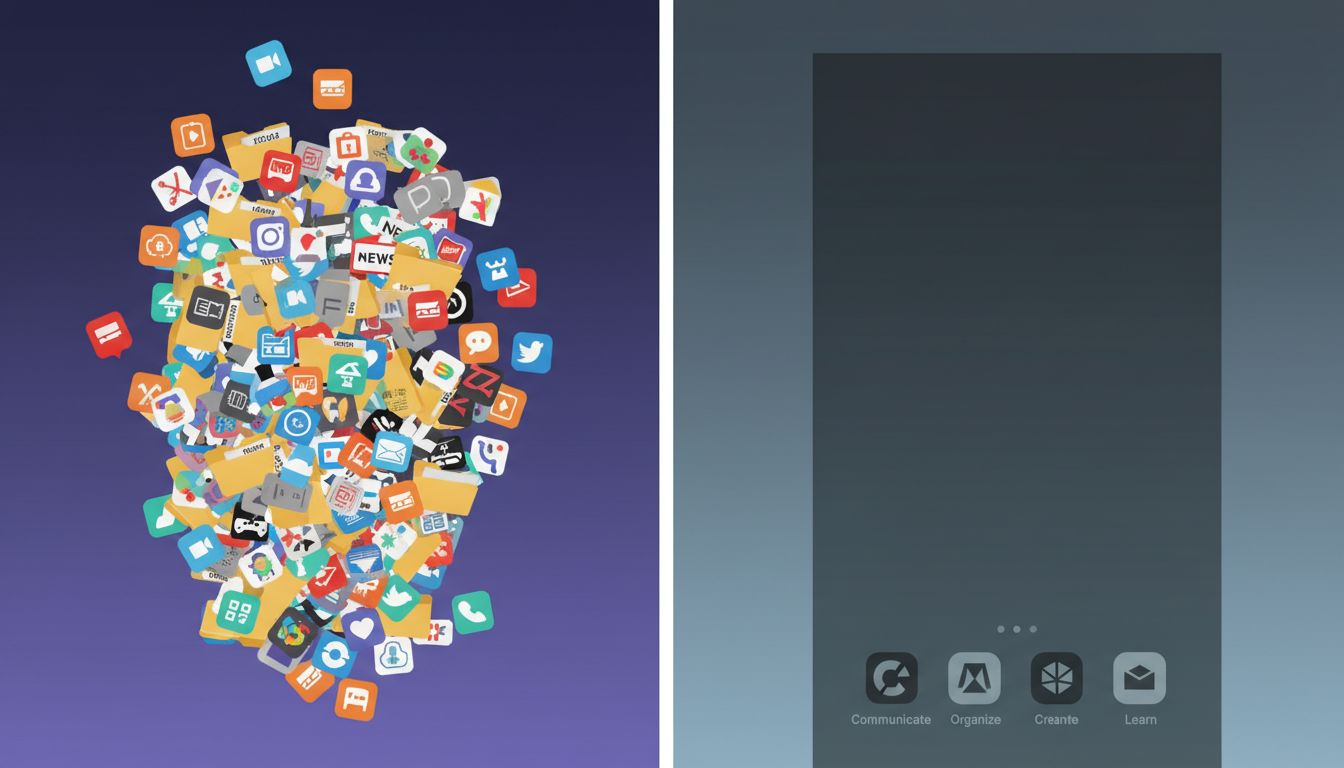
Every few months, a new productivity app launches with a promise to finally fix the way you work. You download it, spend forty-five minutes setting it up, migrate your tasks from the last app, and feel a brief, satisfying surge of control. Then, three weeks later, you have one more icon in a folder you never open. If this loop sounds familiar, you’re not disorganized. You’re experiencing something developers have a name for: dependency bloat.
Productivity apps are often quietly working against you, not because they’re poorly built, but because of the structural incentives that shape how they’re designed in the first place.
The Cognitive Load Problem Is a Systems Problem
In software engineering, cognitive load refers to how much mental overhead a developer must carry to understand a system. When a codebase has too many abstractions, too many dependencies, too many layers of indirection, it becomes harder to reason about. The same principle applies to your digital environment. Every app on your phone is a dependency. Every notification channel is an interrupt handler. Every account is a stateful connection requiring occasional maintenance.
Think of it this way: if your phone were a program, most people’s home screens would look like a legacy enterprise codebase. Hundreds of loosely coupled modules, many of which haven’t been invoked in months, all quietly consuming resources, occasionally conflicting with each other, and periodically demanding attention in the form of update prompts or re-authentication flows.
The most productive people I’ve known, across software, design, and writing, tend to treat their digital toolchain the way a good engineer treats a codebase: with aggressive skepticism toward anything that isn’t clearly earning its place.
Why Adding Tools Feels Productive (But Usually Isn’t)
There’s a psychological mechanism at work here that the tech industry understands very well. Downloading an app triggers a small dopamine response. You’ve taken action. You’ve signaled to yourself that you’re solving a problem. The app icon sitting on your screen becomes a symbol of future productivity rather than an instrument of present productivity.
This is not an accident. Tech companies have spent years engineering engagement loops that exploit your brain’s reward pathways, and the onboarding experience for most productivity tools is deliberately designed to feel good regardless of whether it produces results. The setup wizard, the personalization questions, the satisfying “you’re all set” screen, these are designed to feel like accomplishment.
The uncomfortable truth is that the friction of setting up a new system often substitutes for the harder work the system is supposed to help you do.
The Minimum Viable Toolchain
Software engineers talk about the MVP, the minimum viable product, as a way to ship something real before over-building. The same concept applies to personal toolchains. What is the smallest set of tools that lets you actually do the work?
For a lot of high-output people, the answer is surprisingly primitive. A plain text editor. A calendar. Email. Maybe one task list. There’s a reason the best engineers and founders still reach for a notebook when thinking through hard problems. Low-overhead tools don’t disappear behind software updates or paywalls. They don’t send you push notifications. They don’t require you to learn a new paradigm every time the company decides to redesign the interface.
This isn’t nostalgia. It’s a rational response to the actual cost of complexity. Every tool you add to your workflow has a maintenance burden. It needs to be learned, updated, occasionally debugged when it stops syncing or starts behaving unexpectedly. Those costs are real, even if they’re diffuse and easy to ignore on any given day.
Deletion as a Technical Practice
Here’s a reframe that might help. Deleting an app is not giving up. It’s a refactoring decision. In code, refactoring means simplifying a system without changing its external behavior. You remove dead code, consolidate redundant functions, eliminate abstractions that aren’t carrying their weight. The goal is a system that does the same thing but is easier to reason about and maintain.
When you delete an app, you’re asking: was this dependency actually doing something that justified its presence in the system? Often the honest answer is no. The task manager that replaced your to-do list, only to itself be replaced, contributed nothing to your output. It was a dependency that consumed setup time, attention, and the occasional twenty minutes of re-architecting your entire task taxonomy, without meaningfully improving what you actually shipped.
The practical exercise here is something like a toolchain audit. Go through every app on your devices and ask three questions. Does this help me do something I actually need to do? Could I do that thing adequately with a tool I already have? When did I last use it in a way that produced a real output?
You’ll find a lot of dead code.
The Opportunity Cost Nobody Talks About
Every hour spent evaluating, configuring, and maintaining a new tool is an hour not spent doing the thing the tool was supposed to support. This is the opportunity cost that productivity culture systematically ignores, because the people selling you tools have no incentive to mention it.
Free apps in particular are more expensive than they look, not just in the data they collect, but in the attention they’re designed to capture and hold. An app that helps you manage tasks but sends you five notifications a day has extracted a cost that doesn’t show up in any pricing page.
The most productive people aren’t the ones with the best apps. They’re the ones who’ve gotten ruthless about distinguishing between tools that reduce friction and tools that just move it somewhere less visible. They’ve learned to treat deletion not as a failure state but as a form of maintenance, the same way you’d prune a dependency tree or clean up a database that’s accumulated years of unused tables.
The best version of your workflow is almost certainly simpler than the one you have right now. The path to it doesn’t run through the app store.