Your phone felt fast the day you bought it. Two years and a dozen updates later, it crawls. You assume the hardware is aging. The real explanation is more interesting, and more uncomfortable for the companies shipping those updates.
The slowdown is real, measurable, and largely predictable. And while planned obsolescence makes for a satisfying villain, the actual mechanics are subtler and more systemic than any boardroom conspiracy.
The Abstraction Tax
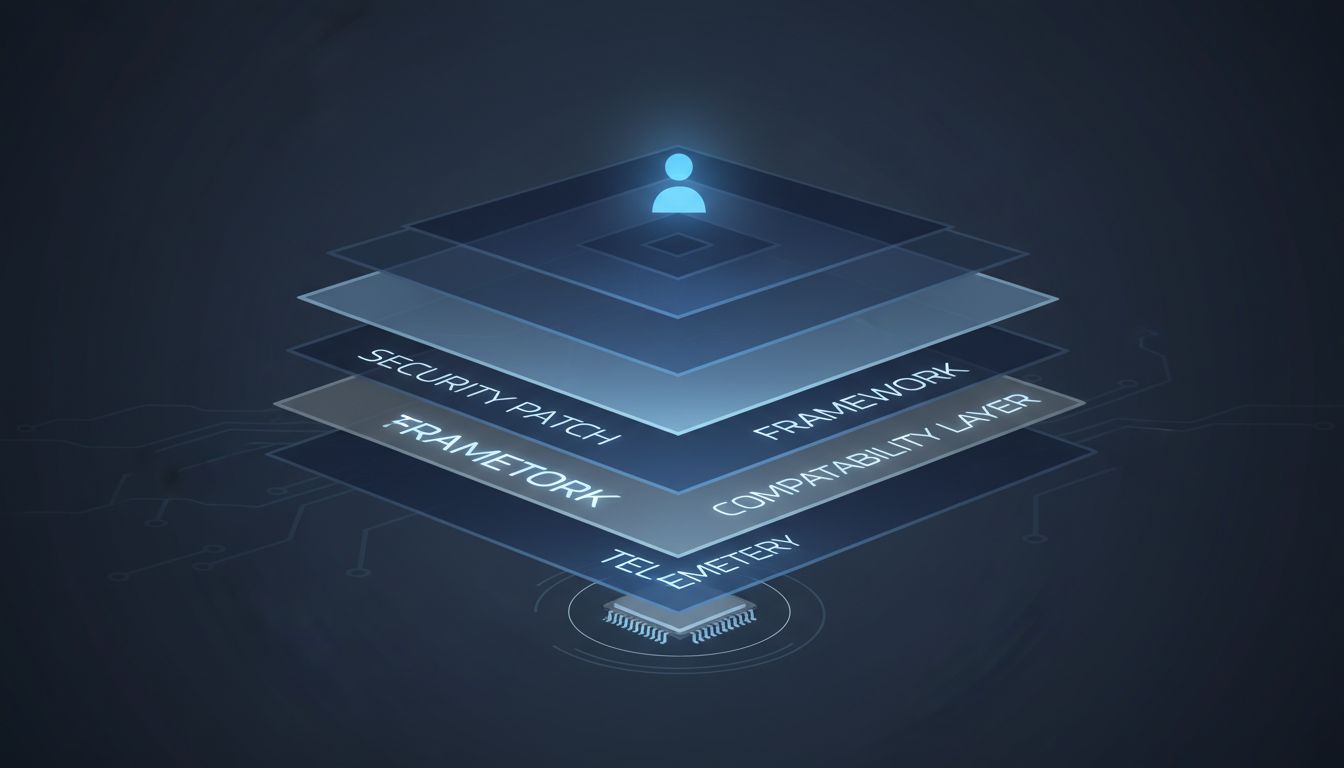
Every software update adds layers. Not always features you notice, but layers of compatibility code, security patches, telemetry hooks, and framework updates that sit between the instructions your app issues and the hardware executing them. Programmers call this the abstraction stack, and it grows in one direction.
Consider what happens when Apple updates iOS. The operating system must maintain backward compatibility with apps built years earlier while simultaneously supporting new hardware capabilities and patching security vulnerabilities. Each of those requirements adds conditional logic. The processor executes more instructions to accomplish the same outcome. On new hardware, those extra cycles are invisible. On hardware two generations old, they accumulate into perceptible lag.
This is not laziness or malice. It is the structural cost of writing software for heterogeneous devices at scale. A single iOS release ships to hundreds of hardware configurations spanning multiple years of manufacturing. The code that runs on an iPhone 15 is the same code that runs on an iPhone 11. Making that work requires compromises that favor breadth over speed.

Feature Creep Disguised as Maintenance
Updates are rarely just patches. They are also delivery vehicles for new features, behavioral changes, and infrastructure that serves the platform’s business interests more than the user’s immediate experience. Background processes that phone home with usage data, updated ad-targeting frameworks, new push notification infrastructure: these are all running on your device after an update, consuming memory and CPU cycles that weren’t allocated to them before.
The gap between what is described in an update’s release notes and what is actually installed has been documented repeatedly by security researchers who diff system binaries before and after updates. The discrepancy is almost always larger than users expect. Some of those additions are genuinely beneficial. Many are neutral infrastructure that matters to the platform owner. A non-trivial number consume resources without providing any direct user value.
This connects to a broader pattern in how platforms are built. As software projects expand in scope, the original tight relationship between code and hardware loosens. Engineers optimize for new hardware, because that is what the benchmark reviewers use. Older devices inherit the overhead without the headroom to absorb it.
The Memory Problem Nobody Talks About
Slowdowns are usually blamed on processing speed, but RAM is often the more accurate culprit. Modern software frameworks assume generous memory availability. When iOS 16 expanded its background process model, apps were permitted to retain more state in memory between sessions. On a device with 6GB of RAM, this is seamless. On a device with 3GB, the operating system must more aggressively evict processes, leading to the cold-launch delays that feel like sluggishness.
The same pattern holds on Android, where the fragmentation problem is even more pronounced. Google’s annual Android releases are optimized against its own Pixel hardware, which ships with memory configurations that mid-range and older devices don’t match. Manufacturers then adapt those releases for their own hardware, adding another layer of modification. By the time an update reaches a two-year-old mid-range device, it has been through multiple rounds of optimization that prioritized other targets.
Apple’s 2017 battery throttling controversy, where the company admitted it was deliberately slowing older iPhones to prevent unexpected shutdowns from aging batteries, drew enormous attention precisely because it was explicit. But the subtler, unacknowledged version of that tradeoff happens with every major OS release. The device is slower. The company benefits from upgrade cycles. The causal chain between those two facts is never officially acknowledged.
Why Developers Can’t Solve This Alone
Application developers are not passive in this process. When a platform ships a new UI framework, developers migrate to it partly because the old APIs get deprecated and eventually stop working, and partly because new features only exist in the new framework. That migration reliably increases the app’s memory footprint and startup time, because new frameworks prioritize developer convenience and feature richness over lean execution.
Electron, the framework underlying Slack, VS Code, and dozens of other widely-used desktop apps, is the most cited example of this tradeoff. It ships an entire Chromium browser instance with every app. The developer experience is excellent. The resource consumption is substantial. Electron apps routinely use hundreds of megabytes of RAM for tasks that a native implementation would accomplish with a fraction of that. Users on modern hardware don’t notice. Users on older hardware absolutely do.
The incentive structure doesn’t favor restraint. Shipping faster means using higher-level abstractions. Higher-level abstractions consume more resources. The developer who stops to optimize for a four-year-old MacBook is a developer who isn’t shipping new features. In most product organizations, that is not a defensible position.
What This Means for How You Think About Upgrades
The practical implication is that a device’s useful life is not set by its hardware wearing out. It is set by when the software ecosystem decides, collectively and without explicit coordination, that the hardware’s resource profile is no longer the target. That point arrives earlier than it used to, not because chips degrade, but because software expands to fill the available capacity of the newest hardware, leaving older devices progressively further behind.
Understanding this reframes the update question. Security patches are non-negotiable; running unpatched software is genuinely dangerous. But major version upgrades on older hardware deserve more scrutiny than most users give them. The question is not whether the update contains useful features. The question is whether those features are worth what the update will cost you in performance on hardware that was not the design target.
The companies shipping these updates will not frame it that way. They have upgrade cycles to support.