When a language model returns something confidently wrong, the instinct is to blame the model. It hallucinated. It made things up. It’s unpredictable. Sometimes that’s true. More often, the model did exactly what your prompt implied it should do, and you just didn’t notice what your prompt was actually saying.
This matters because the fix is completely different depending on which problem you have. If the model is fundamentally broken, you switch models or wait for a better one. If your prompt is the problem, you can fix it in the next five minutes.
What Your Prompt Actually Communicates
A prompt is not a search query. When you type something into Google, the system is trying to figure out your intent despite your wording. A language model is doing something different: it’s treating your words as a contract. It will try to fulfill the literal shape of what you gave it, not the ideal version in your head.
Consider a common scenario. You ask a model to “summarize this document and highlight the key points.” The model gives you a summary. You wanted a bulleted executive brief with no more than five points, organized by urgency. Those are not the same request. The model didn’t hallucinate. It answered a different question than the one you meant to ask.
This is the gap that causes most of the frustration people have with AI tools. You had a clear mental model of the output. You wrote something that felt like it described that output. But the words you chose were ambiguous, and the model filled the ambiguity with something plausible rather than something correct.
The Three Ways Prompts Mislead Models
Most bad prompts fail in one of three ways.
Underspecification. You described what you want without describing what you don’t want. “Write a product description” leaves the model guessing about tone, length, audience, format, and dozens of other variables. It will guess. Its guesses may not match yours.
False context. This one is sneaky. You include context that you believe is accurate but that the model interprets differently. If you tell the model “you are an expert in marketing” and then ask a technical question, you’ve given it a persona that might actively suppress precise technical answers in favor of accessible ones. You set the stage wrong and the model performed accordingly.
Conflicting signals. You ask for something formal but your examples are casual. You ask for brevity but give a three-paragraph explanation of what you want. The model reads all of it and tries to reconcile the contradiction. Usually it picks one signal over the others, and it’s rarely the one you would have chosen.
None of these are hallucinations. They’re reasonable responses to genuinely ambiguous instructions. The model isn’t inventing information out of nowhere. It’s completing your prompt in a direction you didn’t intend.
How to Audit a Prompt That Isn’t Working
When you get bad output, before you blame the model, do this: read your prompt as if you’ve never seen the project, the context, or the goal. Read it cold. Ask yourself what a reasonably intelligent person would produce if handed only that text.
If the answer is “something different from what I wanted,” that’s a prompt problem.
From there, the fix is usually one of four things.
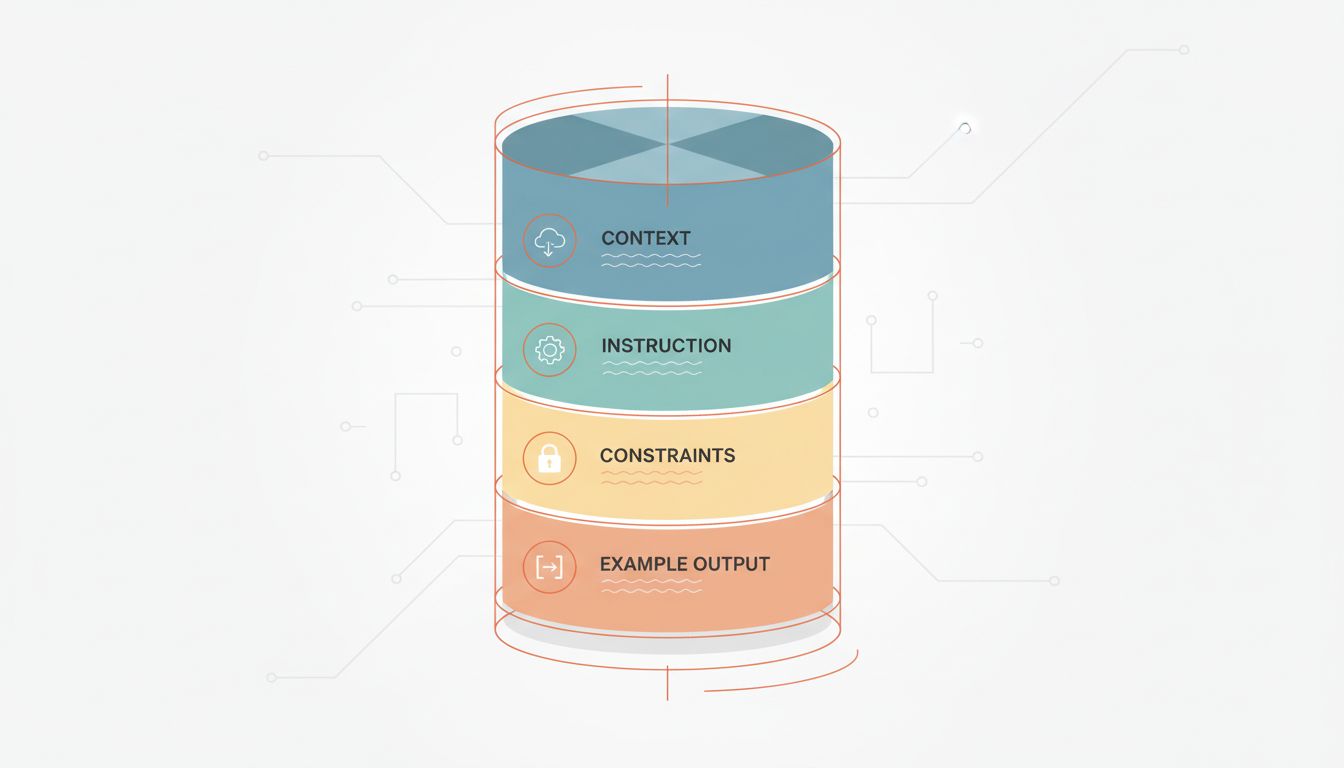
First, add a concrete output example. Don’t describe what you want in abstract terms. Show it. Even a rough sketch of the format, length, and tone tells the model more than a paragraph of explanation. “Here’s an example of a similar output I liked” is one of the most underused tools in prompting.
Second, add explicit constraints. Not just what to do, but what not to do. “No bullet points,” “don’t use passive voice,” “don’t include caveats unless they’re critical” are all fair constraints. Models respond well to them.
Third, separate your context from your instruction. If you’re giving background information and then asking a question, make that structure explicit. “Here is the background: [X]. Here is my question: [Y].” This sounds obvious but most people run the two together, and the model has to guess where context ends and the request begins.
Fourth, if the task is complex, ask the model to reason before it answers. This is sometimes called chain-of-thought prompting. Telling the model to “think through this step by step before giving your final answer” reduces the rate of overconfident wrong answers because you’re making it show its work before committing to a conclusion.
When the Model Actually Is the Problem
None of this means models are perfect. There are real failure modes that live in the model, not the prompt. Outdated training data will produce outdated answers regardless of how good your prompt is. Some models are genuinely weaker at certain tasks, particularly multi-step arithmetic, complex logical chains, and anything requiring precise recall of obscure facts. These are model problems and prompting can only partially compensate for them.
The honest test: if you give the same well-constructed prompt to three different capable models and they all produce the same kind of error, you probably have a model-level limitation. If different prompts produce wildly different quality from the same model, you have a prompt problem.
It’s also worth noting that model behavior can shift across versions in ways that break prompts that previously worked. As covered in what actually happens to an AI model after deploy, models aren’t static after release, and prompts that relied on specific behavioral quirks can quietly break without any announcement.
Write Prompts Like You’re Delegating to a Smart Stranger
The most useful mental shift is this: stop thinking of prompting as issuing a command and start thinking of it as delegating a task to someone who is genuinely capable but has none of your context.
A smart stranger doesn’t know your preferences, your project history, your definition of “good,” or what you tried last week that didn’t work. They’ll do their best with what you give them. If you hand them a vague brief, you’ll get a generic result. If you hand them a specific brief with examples and constraints and a clear sense of what success looks like, you’ll probably get something useful.
This framing also keeps you honest about what you actually want. Many prompts are vague because the person writing them hasn’t fully decided what they need. Forcing yourself to write specific instructions often reveals that the problem isn’t the model at all. It’s that you don’t yet have a clear enough picture of the output to ask for it precisely.
Fix that first. Then write the prompt. The model will follow.