Most people think of a webpage loading as a single event. You click, you wait, the page appears. In reality, that gap contains somewhere between 10 and 70 distinct operations, coordinated across multiple physical continents, most of which must succeed in sequence or the whole thing fails. Understanding that sequence changes how you think about why the web is fast when it’s fast, and why slowness feels so disproportionately painful.
1. Your Browser Asks an Unfamiliar Question
The URL you typed or clicked contains a human-readable domain name. Computers route traffic by IP address, a numerical identifier like 142.250.80.46. Before any web content moves anywhere, your browser needs to resolve that name into a number.
This lookup, called a DNS query, goes first to a resolver on your local network, then potentially to your ISP’s servers, then to a hierarchy of authoritative nameservers that hold the actual records. The whole process typically takes between 20 and 120 milliseconds, though it often completes in under 50ms because your operating system caches recent lookups. A cache miss on an unfamiliar domain triggers the full chain. DNS seems like plumbing. It is plumbing, but it’s also the first meaningful delay in your experience, and it happens before a single byte of your actual page has been requested.
2. A Handshake Happens Across Physical Distance
Once your browser has an IP address, it needs to open a connection to the server. For an HTTPS site (which is nearly all of them now), this requires a TCP handshake followed by a TLS handshake. The TCP handshake alone involves three message exchanges: SYN, SYN-ACK, ACK. The TLS handshake on top of that adds more round trips.
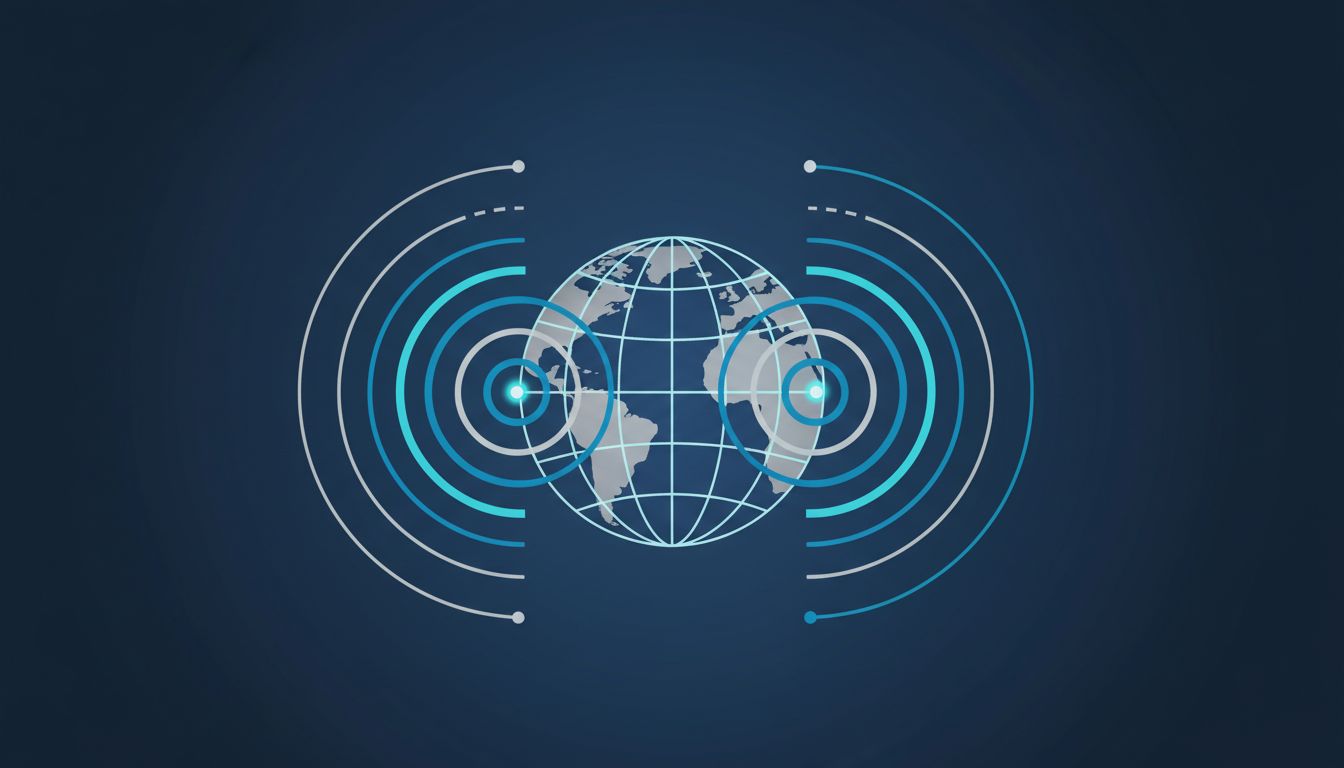
Each round trip is bounded by physics. Light travels through fiber optic cable at roughly two-thirds the speed of light in a vacuum. A round trip from New York to London takes at minimum 70 milliseconds just from geography, regardless of how fast the servers are. This is why content delivery networks exist: they put servers physically closer to users so that these handshakes happen over shorter distances. A CDN doesn’t make servers faster, it makes the speed of light less relevant.
3. The Server Receives a Request That Triggers a Small Bureaucracy
Your browser sends an HTTP request: a structured text message saying, in effect, “give me this specific resource.” On the server side, that request typically doesn’t hit a single machine doing a single thing. It hits a load balancer, which routes it to one of several application servers, which may query a database, check a cache layer, call external APIs, and assemble a response from multiple data sources before sending anything back.
The time this takes is called “time to first byte” (TTFB). Google’s own guidance suggests TTFB should be under 800 milliseconds. Many real-world sites, especially those with heavy database queries or underpowered server infrastructure, exceed this routinely. Users experience slow TTFB as the page simply not starting to load, which feels worse than a page that loads gradually but visibly. The psychological weight of a blank screen exceeds that of a slow-building one.
4. HTML Arrives, and Immediately Creates More Work
The server sends back HTML. Your browser begins parsing it immediately, before the full document arrives. This is called incremental parsing, and it matters because HTML almost always contains references to other resources: CSS files, JavaScript files, images, fonts. Each reference is a new request, and the browser begins queuing those requests as soon as it encounters them in the markup.
Some of those resources block rendering. CSS is a classic blocker: the browser won’t paint anything to the screen until it has the CSS it needs to know how to display the page. JavaScript is often worse, because it can modify the HTML structure, so the browser has to pause parsing until each script executes unless the script is marked as deferred or asynchronous. A page with ten render-blocking scripts will feel slow even if the server response was fast. This is why front-end performance optimization is a legitimate engineering discipline, not just aesthetic preference.
5. Your Screen Redraws More Than Once Before You’re Done Reading
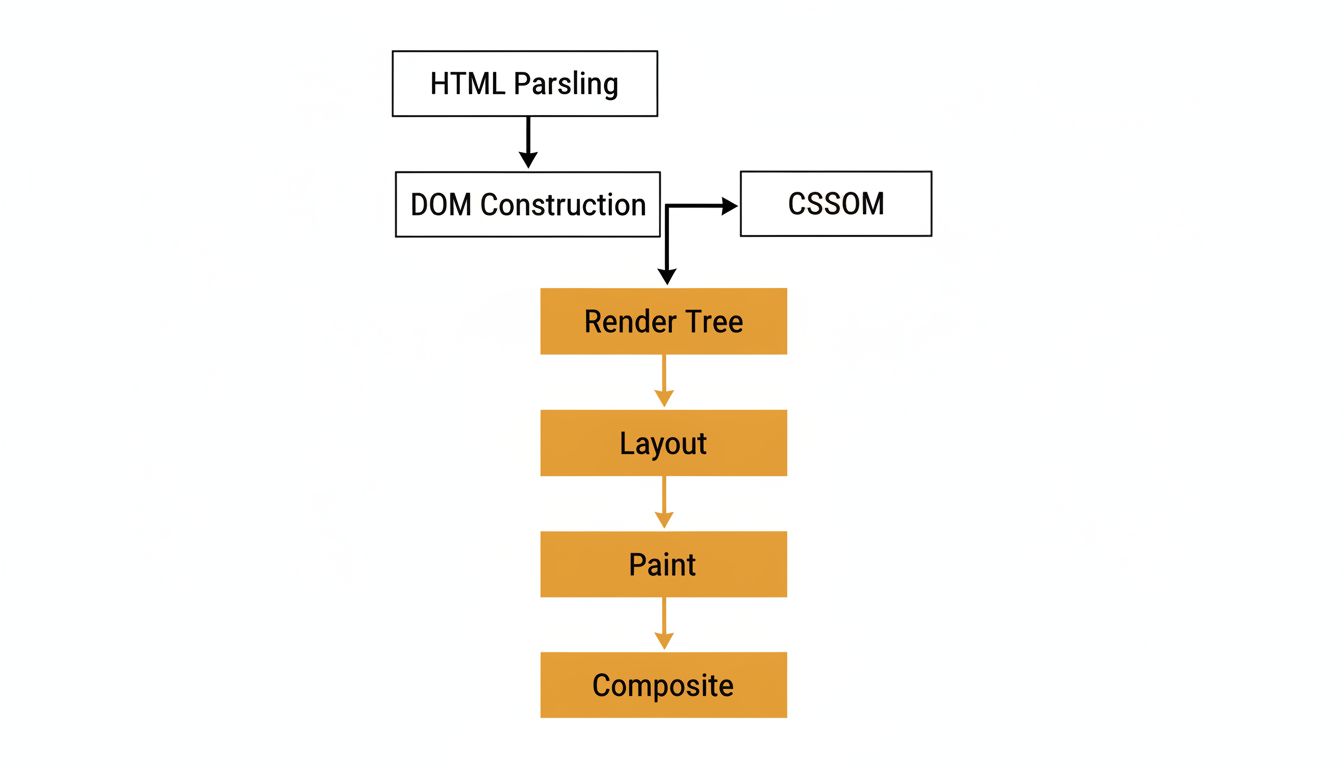
The final step is rendering: converting the parsed HTML and CSS into actual pixels. The browser builds two internal representations, the DOM (the structured content) and the CSSOM (the styling rules), and combines them into a “render tree” that describes what should actually appear. It then calculates the layout (where each element sits), paints pixels into layers, and composites those layers onto your screen.
This process doesn’t happen once. Modern browsers repaint portions of the screen constantly as resources arrive. A page might become partially visible within 500 milliseconds while images are still loading and fonts are still downloading. The metric the industry now prioritizes is “Largest Contentful Paint,” the moment when the biggest visible element finishes rendering. Google uses this as a ranking signal in search. A page that crosses the two-second mark for LCP is measurably penalized in search results, which gives publishers a direct financial reason to care about rendering performance that pure user experience arguments sometimes fail to create.
6. Caching Decides Whether Most of This Happens Again
After the first load, the browser stores copies of many resources locally. Images, scripts, and stylesheets arrive with HTTP headers specifying how long they should be considered valid. On your next visit, the browser checks those expiration times. Resources that haven’t expired are loaded directly from disk without any network request at all.
This is why repeat visits feel almost instant and first visits often don’t. It’s also why engineers at large companies spend considerable effort on cache strategy: setting cache lifetimes too short means users re-download assets unnecessarily, adding latency and server load. Setting them too long means users see outdated content after a site update. The standard solution is to include a hash of the file contents in the filename itself. When the file changes, the name changes, the old cache entry becomes irrelevant, and the new file downloads fresh. It’s one of those engineering solutions that is genuinely elegant once you see the problem it solves.
What looked like a simple click was actually a negotiation between your machine, multiple servers, global infrastructure built over decades, and a browser doing real-time layout math. The wonder isn’t that it sometimes takes two seconds. The wonder is that it usually takes less than one.