You’ve done everything right. You pasted in the full file, added your style guide, explained the architecture, described the edge cases. You gave the model everything. And somehow the output is worse than when you just asked it to write a simple function.
This isn’t bad luck. It’s a predictable consequence of how large language models process information, and once you understand the mechanism, you can structure your prompts to work with it instead of against it.
1. Models Don’t Weight All Context Equally
Researchers studying transformer-based models have documented a pattern called the “lost in the middle” problem. Information placed at the very beginning or end of a long prompt gets more attention during generation than information buried in the middle. This isn’t a bug that’s been patched. It’s a structural consequence of how attention mechanisms work across long sequences.
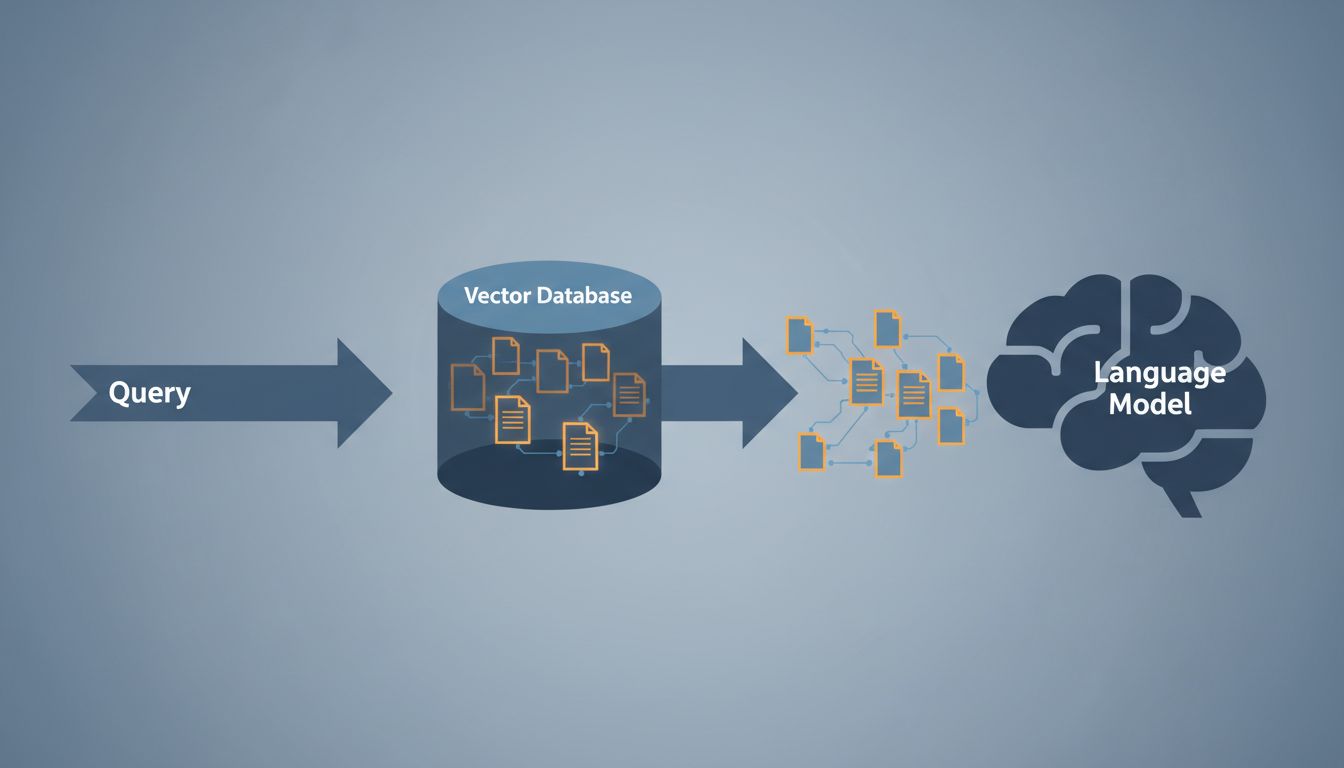
What this means practically: when you paste in 400 lines of existing code, then add your requirements, then add constraints, the model may be giving disproportionate weight to the first file you dropped in and relatively little to the specific instruction you cared most about. You haven’t given it more signal, you’ve diluted it.
The fix is simpler than you’d expect. Put your most important instruction first, not last. If you want the model to match a specific pattern, lead with that pattern, then provide supporting context after. Structure your prompt the way a good brief is structured: the point up front, the background second.
2. Irrelevant Context Actively Misleads the Model
Adding context you think is harmless can actually steer the model toward patterns you don’t want. If you paste in a legacy module that uses callback-based async patterns because it’s “related” to what you’re building, the model will treat those patterns as intentional signal about your preferences, not as historical noise.
This is different from how a human expert reads code. A senior developer can look at old code and recognize it as old code, shaped by constraints that no longer apply. The model has no reliable way to make that judgment. It reads what’s there and treats it as evidence about what you want.
Before you add any file or snippet to your prompt, ask yourself: does this actually constrain the solution, or am I including it out of habit? If it’s the latter, leave it out. Smaller, curated context windows consistently outperform large, uncurated ones for code generation tasks.

3. Long Prompts Invite the Model to Satisfy Contradictions
The more requirements you add, the higher the probability that some of them conflict. Performance and readability often pull in opposite directions. Security and convenience do too. A short prompt forces you to prioritize. A long one lets you defer that prioritization to the model.
Models are trained to be helpful, which in practice means they’ll attempt to satisfy every constraint in your prompt simultaneously. When those constraints conflict, you get code that half-satisfies each one, which is usually worse than code that fully commits to a single approach. You’ve described this failure mode before without naming it: the function that’s almost readable, almost performant, and not quite either.
Write your requirements in order of priority. When you have two competing constraints, say so explicitly: “Prioritize readability over performance here.” That single sentence does more work than three paragraphs of background.
4. System Prompts and User Prompts Can Work Against Each Other
If you’re using an API or a tool that lets you set a system prompt, you have two separate places where instructions live. This is useful. It’s also a common source of degradation that’s easy to overlook.
System prompts typically describe general behavior: use TypeScript, follow these naming conventions, prefer functional patterns. User prompts describe the specific task. When a specific task requires you to deviate from a general rule, and you haven’t explicitly overridden that rule, you get a model that’s trying to honor both. The output often looks like code written by a committee with no shared decision authority.
Audit your system prompts the same way you’d audit a style guide. If a rule in there is actually context-dependent rather than universal, either remove it from the system prompt or add a mechanism in your user prompt to override it. The goal is that your instructions are coherent, not just comprehensive.
5. The Model’s Context Window Is Finite, and Filling It Has a Cost
Current models have context windows measured in hundreds of thousands of tokens, which creates the impression that context size is a solved problem. It isn’t. Larger context windows don’t mean the model pays equal attention to everything inside them. The attention mechanism still has to distribute a fixed capacity across everything you’ve provided.
Think of it less like working memory and more like a meeting room. You can technically fit 40 people in there. But the conversation will be worse than if you’d invited the 6 people who actually needed to be there. Prompt engineering done well is still engineering, and that means being disciplined about what you include, not just technically capable of including more.
A useful practical habit: start with the minimal prompt that could plausibly work, then add context only when you see the model making a specific wrong assumption. This is the opposite of how most people approach it. Most people start by pasting everything and then wonder why the results are noisy.
6. Verbose Instructions Can Obscure Your Actual Intent
There’s a difference between a constraint and an explanation of a constraint. “Use dependency injection” is a constraint. Three paragraphs about why your team adopted dependency injection is context that buries the constraint. The model will process both, but the signal-to-noise ratio of the second is much worse.
This is the same principle that makes good documentation hard to write. The instinct is to explain your reasoning, because that’s what you’d want from a human collaborator. But a model doesn’t need to understand your reasoning to follow an instruction. It needs the instruction to be clear and unambiguous. Explanations help when they clarify ambiguity. They hurt when they just add volume.
Review your most-used prompts and cut any sentence that explains why a requirement exists rather than what the requirement is. You’ll almost certainly find that the shorter version produces better results.
7. You Can Measure This, and You Should
The argument against context bloat is easy to dismiss because code quality is hard to quantify. Here’s a practical way to test it for your own workflow: take a prompt that’s producing mediocre results, strip it down to the single most important requirement, run it, and compare. You don’t need a formal benchmark. You need enough runs to trust the pattern.
Many developers who do this experiment are surprised to find that the stripped-down version produces not just cleaner code, but code that’s closer to what they actually wanted. The longer prompt wasn’t helping the model understand them better. It was giving the model more room to make assumptions they hadn’t noticed they were making.
Context is a resource. Use it like one.