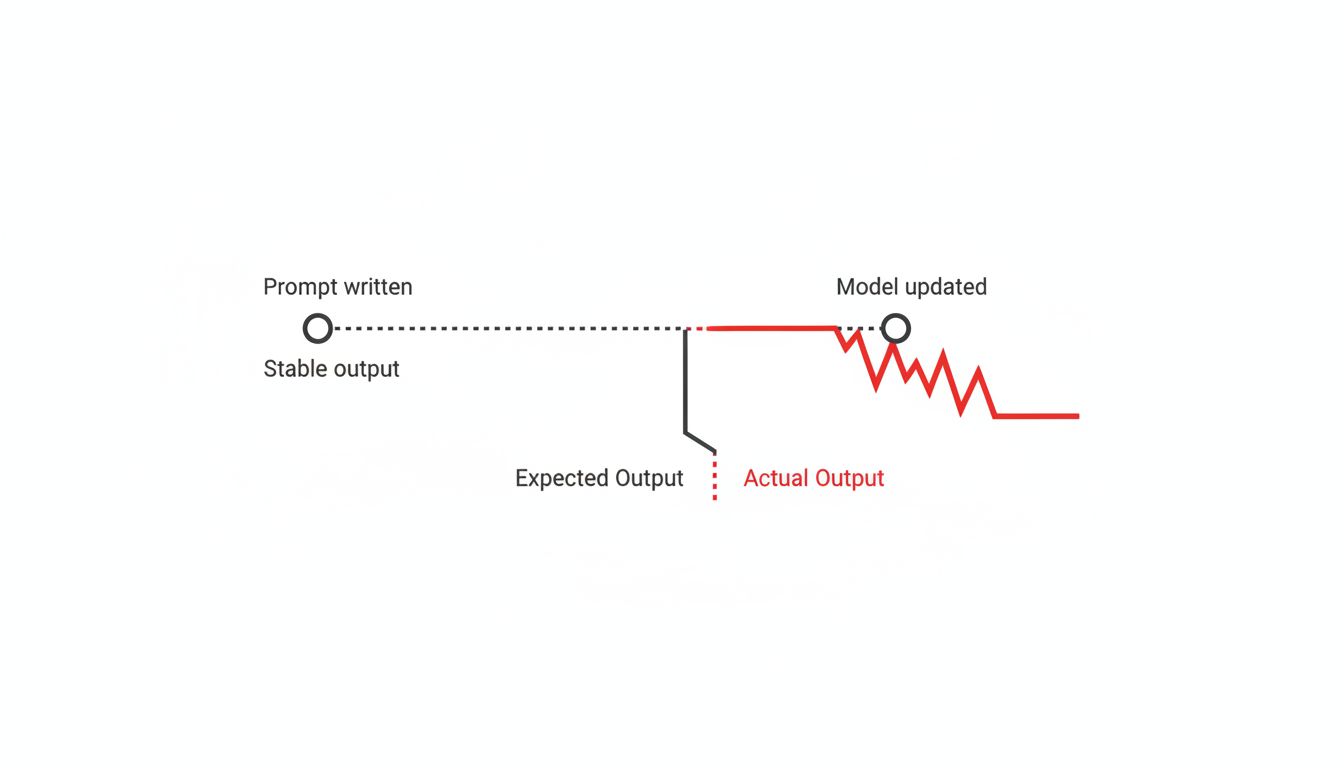
You spent an afternoon writing the perfect prompt. It produces consistent, clean output every time. You ship it into a workflow, maybe automate around it, and move on. Three months later, the output is subtly wrong and you have no idea why.
This is one of the more underappreciated risks of building on top of large language models. The prompt didn’t change. The model did.
1. Models Update Quietly and Often
OpenAI, Anthropic, Google, and others update their models on a rolling basis. Sometimes they announce it. Often they don’t, or they bury the update in release notes that describe it as a minor safety improvement. The model serving your API call today may behave differently from the one serving it six months from now, even if you’re hitting the same endpoint with the same version string.
This isn’t theoretical. Developers noticed measurable behavior shifts after OpenAI updated GPT-4 in mid-2023, with some tasks (like following strict formatting instructions or solving certain coding problems) producing different results than before. The prompts hadn’t changed. The model had. If you’re building anything that depends on consistent LLM output, you need to treat model updates the same way you treat dependency updates in software: something that can break you silently if you’re not watching.
2. A Prompt Is a Bet on Current Model Behavior
When you write a prompt, you’re not writing a specification. You’re writing something that happens to work given how this particular model, at this particular training snapshot, interprets language. That’s a much more fragile thing than it looks.
Some prompts are stable across model versions because they’re asking for something so fundamental (summarize this, translate that) that the core behavior is unlikely to shift. But the more specific your prompt, the more brittle it is. Prompts that rely on a particular output format, a specific tone, a certain reasoning pattern, or a subtle instruction hierarchy are all betting on behaviors that can shift with the next training run. The more work your prompt is doing, the more surface area there is for a model update to break it.
3. You Probably Don’t Have a Regression Test for This
If a model update changed how your database query behaved, your test suite would catch it. But most teams have no equivalent for LLM output. They write a prompt, confirm it looks good, and that’s the end of the quality control story. When the output drifts, they find out through a user complaint or, worse, they don’t find out at all.
The fix here is boring but real: build a small set of reference outputs for your most critical prompts. These don’t have to be exact match tests (LLMs aren’t deterministic), but you can test for structure, for the presence or absence of specific content, for format compliance, for length ranges. Run these tests on a schedule, not just when you deploy. If you’re using an LLM to write code, the AI writing your code has never run any of it and the same principle applies here: absence of visible failure is not evidence of correctness.
4. Context Window Behavior Is Especially Unstable
One of the trickier areas to monitor is how models handle long prompts. A model update that changes attention patterns or context handling can shift which parts of a long prompt the model actually acts on. You might have a carefully structured prompt where the critical instructions are at the top, and a model update shifts the model toward recency bias, causing it to weight the end of the prompt more heavily.
This matters a lot if your prompts include retrieved documents, conversation history, or large amounts of context. The interaction between your instruction design and the model’s context handling is fragile in ways that don’t show up until something goes wrong. As we’ve noted before, a bigger context window doesn’t mean the LLM uses it the way you expect, and that expectation can itself become a liability when model behavior shifts.
5. Version Pinning Helps but Doesn’t Fully Protect You
The obvious answer is to pin your model version. OpenAI and others offer versioned endpoints for exactly this reason. Use them. But understand what this actually buys you: stability for now, and a forced migration later. Pinned versions get deprecated. Safety updates get backported. And pinning a model that’s six versions behind the current one means you’re missing capability improvements that might matter to your product.
Pinning buys you time and predictability, not permanence. Treat it as a buffer that lets you test migrations on your schedule rather than the provider’s, not as a permanent solution to prompt fragility.
6. The Real Fix Is Making Your Prompts More Robust by Design
The most durable prompts are the ones that don’t depend heavily on a specific model quirk to function. A few concrete practices that help:
Be explicit about output format rather than relying on the model to infer it. If you need JSON, say so and provide a schema. If you need a numbered list, say so. Don’t rely on few-shot examples alone to establish format, because the weight a model gives to those examples can shift.
Avoid relying on implicit knowledge or behavior you haven’t explicitly requested. If the model happens to add a caveat you like, don’t count on that caveat surviving a model update. Either request it explicitly or filter for it in your application layer.
And keep your prompts as short as they can be while still working. Every additional sentence is another surface for a model update to interact with unexpectedly. Prompts that do one thing clearly tend to survive model changes better than prompts that do many things through careful layering.
The teams that handle model updates gracefully aren’t the ones with the cleverest prompts. They’re the ones who treat prompt engineering the same way they treat any other software dependency: with tests, versioning, and a healthy respect for what they don’t control.