
AI coding assistants have made a lot of developers faster. They’ve also introduced a specific kind of risk that’s easy to miss because the output looks so convincing. The problem isn’t that the code is always wrong. It’s that the AI has no reliable way to tell you when it is.
This isn’t a reason to stop using these tools. It’s a reason to use them with your eyes open.
1. The Model Learned From Code, Not From Running Code
When an AI coding assistant generates a function, it’s doing sophisticated pattern-matching on an enormous corpus of text. That corpus contains a lot of working code, but it also contains broken code, outdated code, and code written for different environments than yours. The model can’t distinguish between them through execution. It learned what code looks like, not what code does.
This is the core issue, and it has practical consequences. As noted in The AI Writing Your Code Has Never Run Any of It, these models have zero runtime experience. They’ve never watched a function throw an exception or seen a database query return empty results when it shouldn’t. Every suggestion comes from statistical inference, not from anything resembling testing.
You should treat AI-generated code the same way you’d treat code from a very fast junior developer who has read a lot of documentation but hasn’t shipped much: review it carefully before it touches production.
2. Confidence and Correctness Are Unrelated
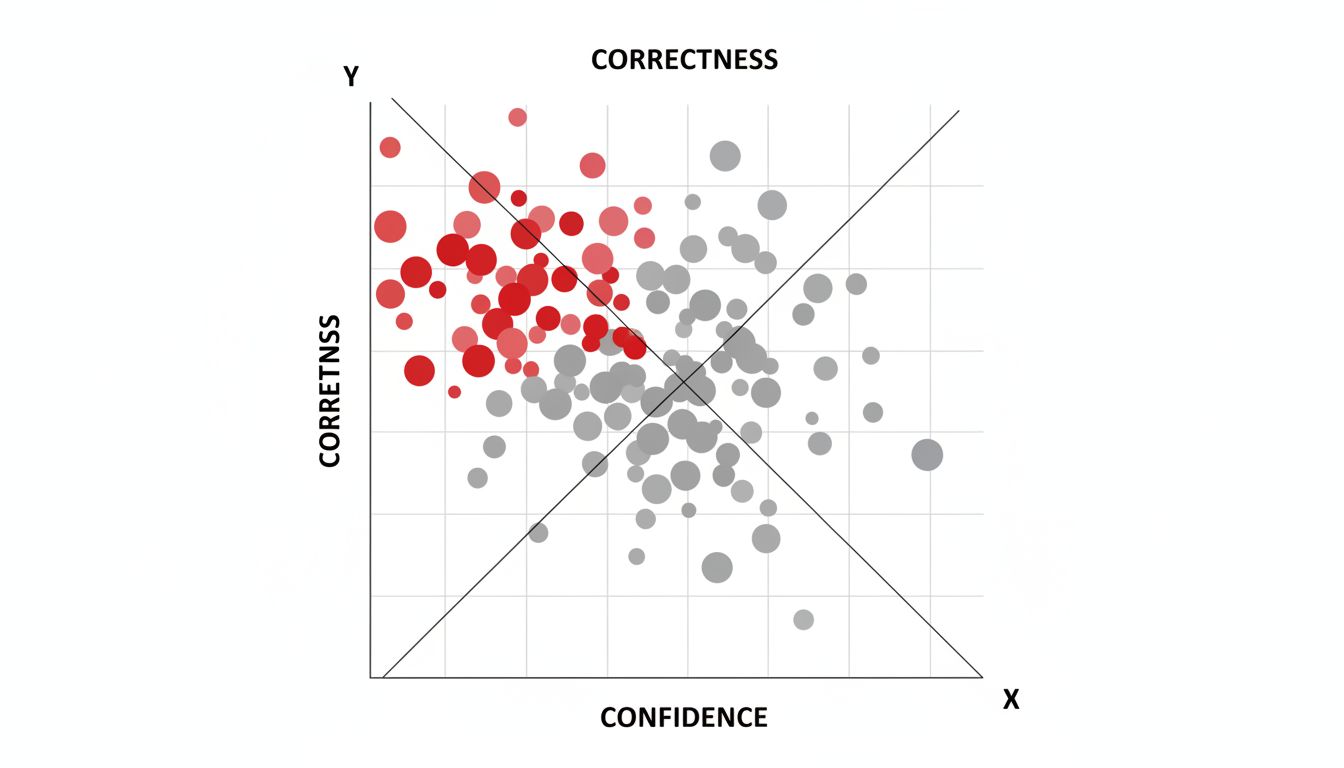
AI models don’t flag uncertainty the way a cautious human engineer would. They produce clean, well-formatted, commented code whether they’re on solid ground or guessing. This is a known property of large language models, and it gets worse as models get more capable. The output gets more polished even when the logic is wrong.
The Smarter the AI Model, the More Confidently It Lies covers this in detail. The short version: fluency isn’t accuracy. A model that produces readable, idiomatic code has not demonstrated that the code is correct. It’s demonstrated that it’s good at producing readable, idiomatic code.
The practical implication is that you can’t use code quality as a proxy for correctness. You have to test. Always.
3. The Bug That Ships Is the One That Looked Fine
Most serious production bugs aren’t obvious. They’re edge cases that pass casual review and even basic testing. AI-generated code has a specific failure mode here: it tends to handle the common case well and miss the edge case entirely, because edge cases are underrepresented in training data relative to how often they matter in production.
Think about what happens when you ask an AI to write a function that processes user input. It’ll probably handle clean, expected input correctly. Whether it handles null values, unexpected encodings, or concurrent writes gracefully is a different question, and the AI’s confidence level won’t tell you which situation you’re in.
This is also why your test suite is already designed to miss the worst bugs even without AI in the mix. AI-generated code compounds that existing gap.
4. The Context Window Doesn’t Contain Your Production Environment
When you paste a function into an AI assistant and ask it to improve it, the model has no visibility into the rest of your codebase, your database schema, your infrastructure constraints, or the runtime behavior of the systems that function interacts with. It’s optimizing locally on what you gave it.
This creates plausible-but-wrong suggestions. The AI might recommend a caching approach that conflicts with how you’ve structured your data layer. It might suggest an async pattern that introduces race conditions in your specific threading model. The code would be correct in isolation, just not in your environment.
Your job is to hold that context, because the model can’t. Before accepting a suggestion, ask: does this actually fit the system around it, or does it just fit the snippet I showed?
5. Correctness Is a Moving Target After Deployment
Even code that works correctly on day one can fail later. Dependencies update, data shapes change, load increases, and integrations drift. AI-generated code isn’t inherently more fragile here, but it does carry a risk: if you don’t fully understand why the code works, you’re less equipped to notice or fix it when it stops working.
This is the ownership problem. Code you wrote yourself comes with a mental model of its assumptions. Code you accepted from an AI assistant sometimes doesn’t, especially if you were moving fast. When that code breaks at 2am, the time you saved generating it gets paid back with interest.
The fix isn’t to write all your code by hand. The fix is to not accept code you can’t explain. If the AI generates a function and you can’t walk through its logic, that’s a signal to understand it before it ships, not after.
6. The Workflow That Actually Works
None of this makes AI coding tools bad. It makes them tools, with specific strengths and specific failure modes you need to account for.
Here’s what a responsible workflow looks like in practice. Use AI to generate boilerplate, explore unfamiliar APIs, and accelerate code you’d be writing anyway. Then review that code like you’d review a PR from someone you don’t know yet. Run it. Test the edge cases the AI probably skipped. Make sure you can explain what it does before it goes anywhere near production.
The developers getting the most value from these tools aren’t the ones accepting everything the model produces. They’re the ones who know exactly where to trust the output and where to be skeptical. That judgment doesn’t come from the model. It comes from you.