The Simple Version
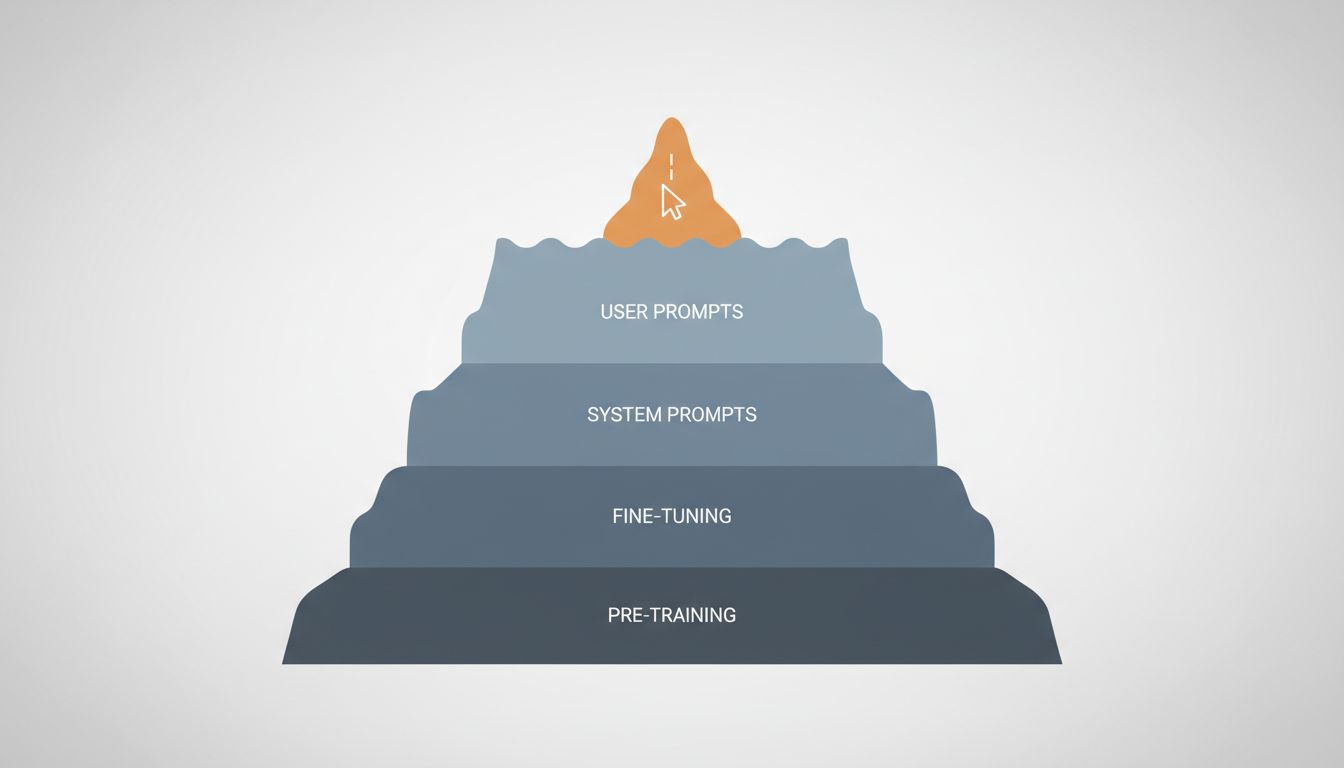
When you write a prompt, you’re adjusting the last few percent of what controls an LLM’s output. The other 95% was decided during training, fine-tuning, and deployment configuration, and you have no access to any of it.
Why Prompting Feels More Powerful Than It Is
There’s a reason prompt engineering gets so much attention: it’s the only lever most people can reach. You type something, the model responds differently, and the causal link feels obvious. You asked nicely, it cooperated.
But this conflates influence with control. A better analogy is that you’re talking to someone who has already been through years of schooling, workplace training, a specific cultural upbringing, and a company HR orientation. Your words matter, but they’re operating on top of all that prior shaping. You can nudge behavior. You can’t rewrite the person.
The same is true for LLMs. Your prompt is real input, and good prompting does produce better outputs. But if you want to understand why a model behaves the way it does, or how to actually change that behavior in systematic ways, you need to understand what happened before you showed up.
The Layers That Actually Shape Output
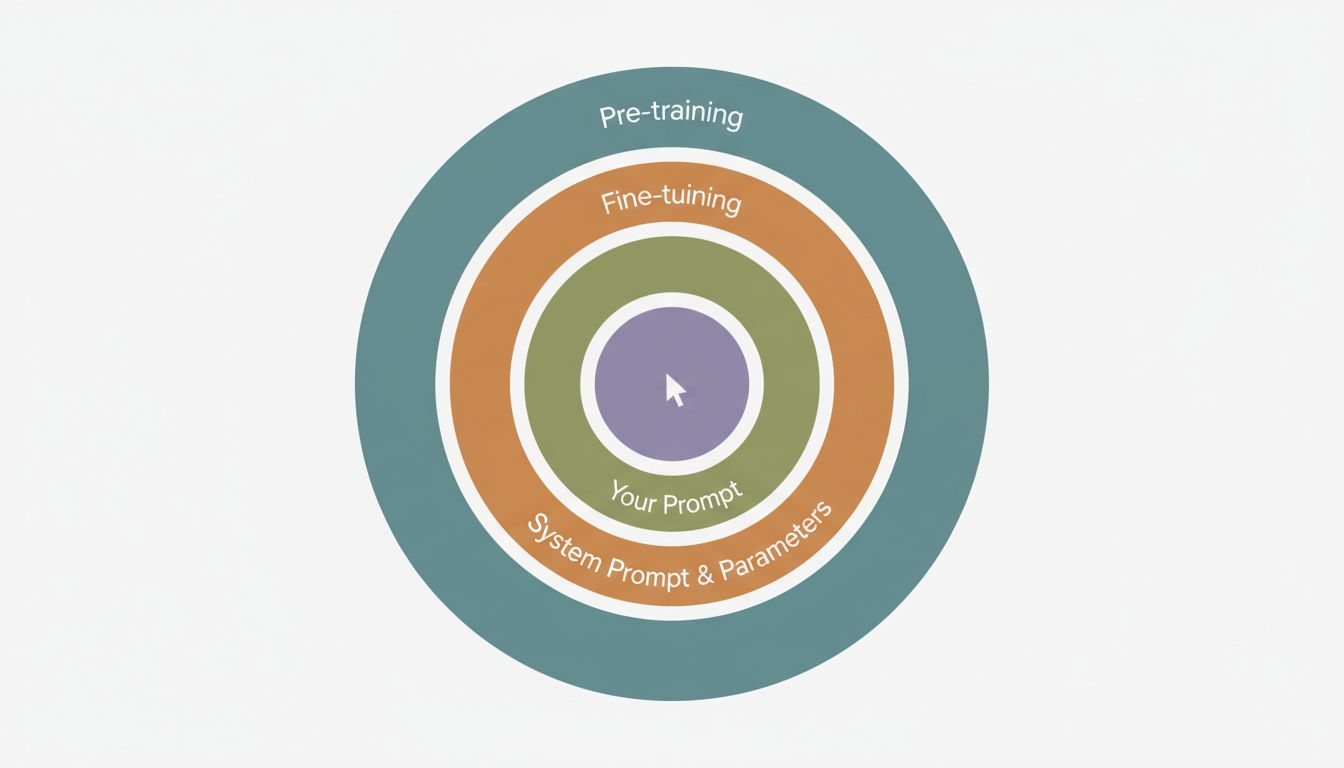
Pre-training is where the model’s foundational behavior comes from. During this phase, the model is trained on an enormous corpus of text, learning to predict the next token across billions of examples. The patterns it internalizes here, what kinds of reasoning structures appear, what topics cluster together, what language registers are common, become the model’s baseline personality and capability. This phase is finished before you ever interact with the model, and it costs millions of dollars in compute to run. You cannot change it.
Fine-tuning is where the raw pre-trained model gets shaped into something more useful and safe. The most common approach for current consumer-facing models is Reinforcement Learning from Human Feedback (RLHF), where human raters evaluate model outputs and those preferences get baked into the model’s weights. This is why ChatGPT sounds like ChatGPT, why it refuses certain requests, and why it tends toward a particular helpful-but-cautious register. These aren’t prompt-level choices. They’re weight-level choices, and they’re sticky.
System prompts and inference-time configuration sit closer to your end of the stack, but they’re still not yours unless you’re building on an API. When you use a consumer product like Claude.ai or ChatGPT, there’s a system prompt you never see that shapes tone, persona, and constraint behavior. Temperature and sampling parameters, which control how deterministic or creative the output is, are also set at this level. If you’re building with the API directly, you control these. If you’re using a wrapped product, you don’t.
Your prompt is the final layer. It matters, but it’s operating within constraints set by everything above it.
What You Can Actually Control (And How)
If you’re using a consumer chat interface, your real leverage is modest. Good prompts help. Specificity, examples, and clear framing all improve outputs. But you’re not controlling the model, you’re navigating it.
The picture changes significantly if you’re building on top of an API. Here’s where things get genuinely useful:
System prompts let you define the model’s persona, constraints, and context before the user says anything. This is dramatically more powerful than anything you can do in the user turn, because the model treats system-level instructions with higher weight. If you want consistent behavior across thousands of interactions, this is where you establish it.
Temperature controls how much randomness is in the sampling process. Lower temperature (closer to 0) makes the model more deterministic and focused. Higher temperature (closer to 1 or beyond) makes it more creative and variable. For factual extraction tasks, you want low temperature. For brainstorming, higher. Most applications use something in the 0.2 to 0.7 range.
Fine-tuning on your own data is available through OpenAI, Anthropic, and others. This is expensive and requires careful data curation, but it produces systematic behavior changes that prompts alone can’t achieve. If you need a model that consistently uses your company’s terminology, follows a specific format, or responds in a domain-specific way, fine-tuning is the right tool. Prompting is not.
Model selection is underrated. Picking a model trained for code versus one trained for conversation versus one fine-tuned for customer support isn’t prompt engineering, but it might be the most impactful choice you make. The embeddings and retrieval architecture you pair with a model often matters more than prompt wording too.
The Honest Case for Prompting
None of this means prompting is useless. Within the space a model allows, prompts move the needle in real ways. Chain-of-thought prompting, where you ask the model to reason step by step before answering, genuinely improves performance on reasoning tasks. This was documented in Google’s 2022 research and has been replicated extensively. Role framing, few-shot examples, and explicit output formatting instructions all produce measurably better results.
The point isn’t that prompting is worthless. The point is that prompting is a UI-level intervention in a system where the core behavior is set at the infrastructure level. Getting good at prompts is worth doing. Thinking that prompts are where control lives is a mistake that leads to brittle, unpredictable applications.
If you’re building something that depends on reliable model behavior, the questions worth asking are: What model were we trained on, what was its fine-tuning objective, and does that match what we actually need? What’s in our system prompt, and is it doing real work? Are we using temperature settings appropriate to the task?
Those questions are less exciting than hunting for the perfect prompt. They’re also more likely to get you somewhere.
The Practical Takeaway
Here’s a simple framework for thinking about LLM control, ordered from most to least impactful:
- Model choice and training origin (you can select, not configure)
- Fine-tuning (you can do this if you have data and budget)
- System prompt and inference parameters (you can set these via API)
- User-turn prompting (what most people call “prompt engineering”)
Spend your effort proportionally. If you’re using the API to build something real, invest in your system prompt and understand your temperature settings before you spend hours optimizing your user-facing prompts. If you’re a consumer user, good prompting is basically your only tool, so learn it, but don’t mistake it for control.
And if you’re relying on prompt engineering to make a poorly suited model behave correctly, you’re not solving the problem. You’re negotiating with it.