The loading spinner is a lie. Not technically, but conceptually. It implies your browser is waiting. In reality, those 200 milliseconds before pixels appear on screen represent some of the densest engineering activity in everyday computing, a cascade of sequential and parallel operations that most developers deploy against without fully understanding. My position: that ignorance is expensive, and it’s getting worse as front-end complexity grows faster than front-end literacy.
The Pipeline Is Longer Than You Think
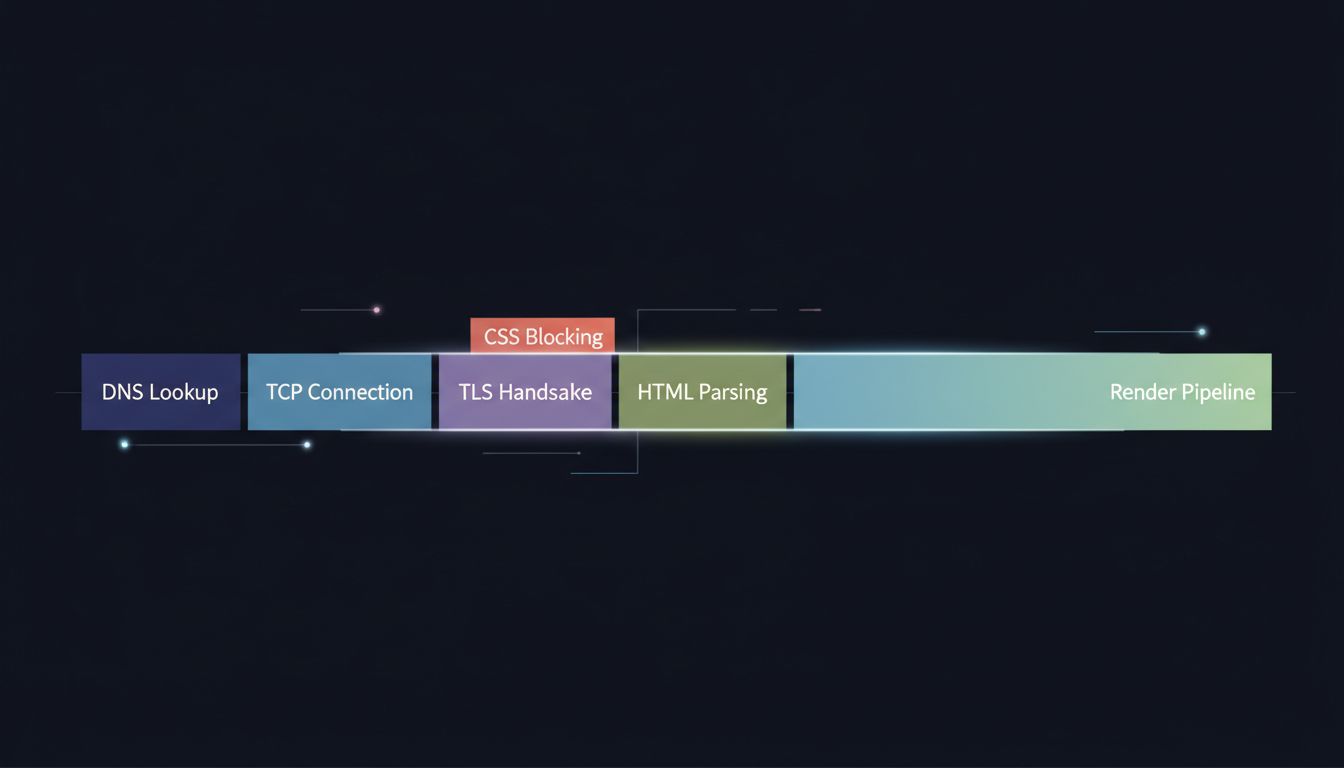
Type a URL and hit enter. The first thing your browser does is check its DNS cache. If it misses, it fires a UDP packet to a resolver, waits for a response, and only then opens a TCP connection to the server. On top of TCP, if you’re on HTTPS (and you should be), there’s a TLS handshake that requires multiple round trips before a single byte of your actual page travels over the wire. On a cold load with no cache and a server in another region, you’ve potentially spent 100 to 150 milliseconds before the browser has received one character of HTML.
Then the HTML arrives, and a second pipeline starts. The browser parses the markup into a DOM tree. Every time it encounters a stylesheet link, it blocks rendering and fetches that CSS. Every time it hits a non-deferred script tag, it stops parsing entirely, fetches the script, executes it, then resumes. This is not an implementation quirk. It’s the specified behavior. The browser cannot know whether your script will call document.write() and rewrite the HTML it hasn’t parsed yet, so it waits.
The result is that a page with three render-blocking scripts and two unoptimized stylesheets can easily serialize what could be parallel work into a queue of sequential fetches. You see a blank screen. The browser is not idle.

The Render Pipeline Has Its Own Complexity
Once the browser has enough HTML and CSS to paint something, it builds two trees: the DOM (structure) and the CSSOM (styles). It merges them into a render tree, which excludes invisible nodes like display: none elements. Then layout happens, where the browser calculates the geometric position of every visible element. Then painting, where it determines what pixels each element should produce. Then compositing, where it layers those painted elements and hands them to the GPU.
This is not one pass. A single CSS property change can invalidate layout for an entire subtree. box-shadow triggers paint but not layout. transform can be composited without either, which is why CSS animations using transform are smoother than ones using top or left. These are not trivia. They are load-time performance decisions dressed up as visual design decisions.
Most developers know that JavaScript can block rendering. Fewer appreciate that CSS can too, and that the order in which you load stylesheets and scripts determines which pipeline stalls happen in sequence versus in parallel. Google’s Core Web Vitals metrics (Largest Contentful Paint, Interaction to Next Paint, Cumulative Layout Shift) exist precisely because these stalls have measurable user and business impact. A one-second delay in mobile load times has been shown in multiple industry studies to reduce conversions meaningfully, and that correlation has held across enough replications that it’s reliable even without citing a single specific number.
Speculation and Prefetching Are the Browser’s Attempt to Cheat Time
Modern browsers do not simply react. They speculate. Chrome’s Preload Scanner runs a secondary parser that looks ahead in the HTML stream while the main parser is blocked, identifying resources it can fetch early. Browsers maintain DNS prefetch caches from your browsing history. The <link rel="preconnect"> hint tells the browser to complete the TCP and TLS handshakes for a domain before the HTML that needs it has even been parsed.
This speculative work is powerful but fragile. Hint wrong, and you’ve wasted bandwidth and connection slots on resources that never get used. Hint correctly, and you can shave 200 milliseconds off a critical rendering path just by telling the browser what it would have figured out too late on its own. The browser is doing you a favor with these heuristics. Most sites don’t reciprocate with good hints.
The Counterargument
The reasonable objection here is that most developers don’t need to understand any of this. Frameworks handle it. Build tools add the right <link rel="preload"> tags. CDNs terminate TLS close to users. Performance budgets and Lighthouse scores provide guardrails without requiring anyone to understand what a TLS handshake costs.
This is partially true. Abstraction is how complex systems scale. But it’s also the argument that has produced sites that ship megabytes of JavaScript to display a paragraph of text, that block rendering on third-party analytics scripts, and that score in the 40s on Lighthouse despite running on fast servers. Abstraction without understanding produces cargo-cult performance work: adding async attributes and rel="preconnect" hints because a checklist said to, without knowing when they help and when they conflict.
The browser is doing extraordinary work in those 200 milliseconds. Understanding what it’s doing is not optional expertise for specialists. It’s the baseline for anyone who decides what gets shipped to a browser, which is most of the people reading this.
The pipeline is long, the stakes are real, and the blank screen your user sees while it runs is the cost of every decision you made that forced sequential work where parallel work was possible. That cost is worth knowing.