The Simple Version
A cache stores a copy of data so you don’t have to fetch the original every time. When that copy goes stale and your system doesn’t notice, users get old information presented with complete confidence.
What a Cache Actually Does
Every time your application fetches the same data repeatedly, it’s doing redundant work. A cache short-circuits that by storing the result of an expensive operation (a database query, an API call, a rendered page) and serving the stored copy on subsequent requests. The tradeoff is freshness: the copy is only accurate as of the moment you stored it.
This is not a flaw. It’s the fundamental bargain caching makes, and it’s a good one in most cases. A product page that updates once a day doesn’t need a live database hit on every page load. Caching that page for an hour costs you almost nothing in accuracy and saves enormous compute overhead.
The problem is that engineers often set cache policies once, during initial development, when they’re thinking about average cases. They rarely revisit those policies when the data behind the cache starts changing faster, or when the consequences of showing stale data escalate.
Where It Goes Wrong
There are a few failure patterns that show up repeatedly.
TTL set too long for the actual update frequency. TTL (time-to-live) is the setting that tells the cache how long to keep a copy before discarding it and fetching a fresh one. If your inventory data updates every five minutes but your TTL is set to an hour, you’re serving 55-minute-old stock counts. For a low-traffic hobby store, fine. For a flash sale with thousands of concurrent users, that’s how you oversell products you don’t have.
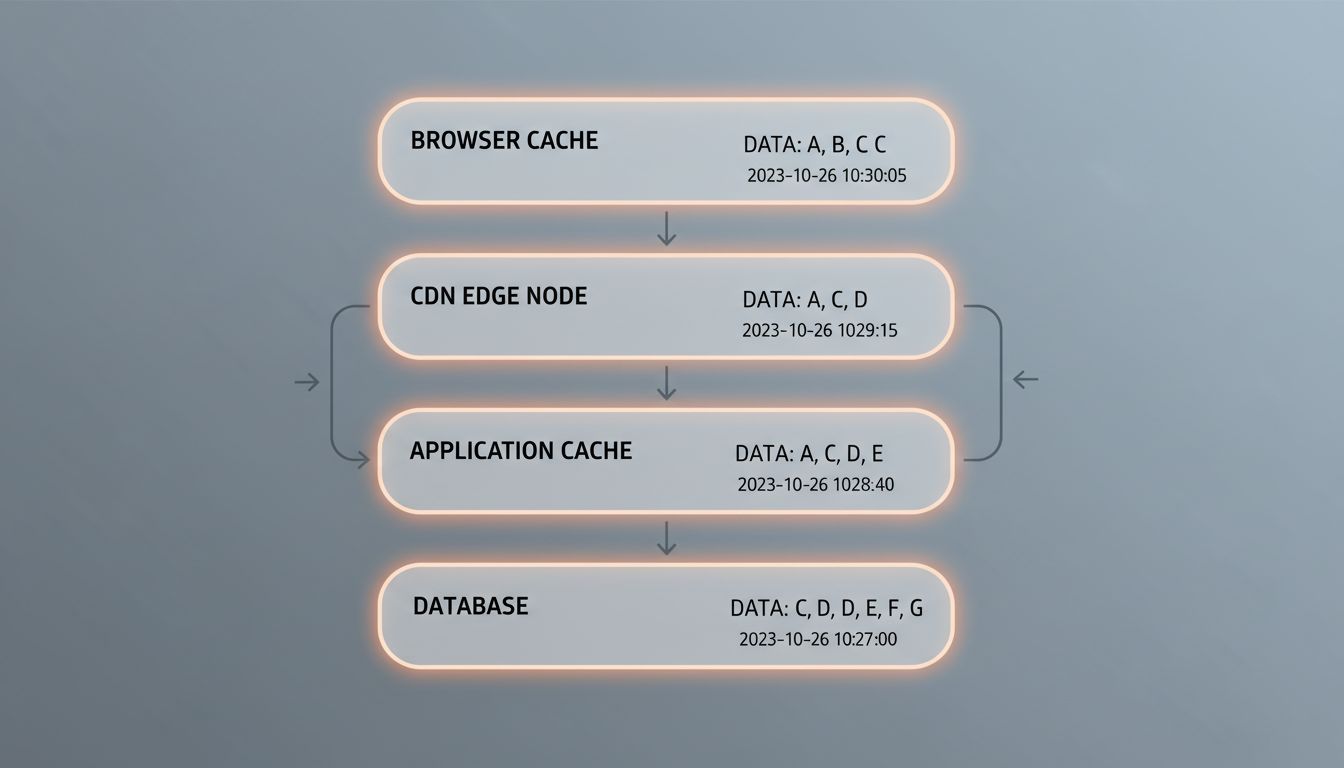
Cache invalidation that doesn’t propagate. When data changes, you want to invalidate (delete or update) the cached copy immediately rather than waiting for TTL expiration. This sounds straightforward. It isn’t. In distributed systems, you often have multiple cache layers and multiple services. Invalidating the cache in one place doesn’t mean you’ve invalidated it everywhere. A user might hit a CDN edge node in Frankfurt that still has the old version hours after you pushed a correction.
Per-user data served from a shared cache. This is the most dangerous pattern. Shared caches work well for public, identical content. They break badly when the data varies by user. If your cache key doesn’t account for user identity, authentication state, or permissions, you risk serving one user’s data to another. This isn’t just a freshness problem, it’s a privacy and security problem. It happens more often than the industry admits, particularly after configuration changes or deployments under pressure.
Thundering herd after a cache miss. When a popular cached item expires, every request that arrives in the next few milliseconds will find the cache empty and simultaneously try to rebuild it. That floods your database with identical queries at once. Systems that handled load fine with the cache can collapse the moment a high-traffic cache key goes cold. This is sometimes called a cache stampede, and it’s especially ugly because it tends to happen at peak traffic, exactly when you can least afford it.
The Users You Can’t Afford to Disappoint
Stale cache data is an annoyance when it affects anonymous browsing. It’s a serious problem when it affects specific user segments at critical moments.
Consider a financial application where account balances are cached. A user checks their balance, sees $2,400, initiates a transfer, and the transfer system consults the same cache. If that balance was written before a pending charge cleared, you’ve enabled an overdraft based on data your own system fabricated. The cache didn’t lie maliciously. It just told the truth about a moment that had passed.
Or consider a healthcare portal where medication lists, allergies, or appointment details are cached aggressively for performance. A patient’s record gets updated by a clinician. The cache, unaware, keeps serving the previous version. The consequences here don’t need elaboration.
E-commerce is where this plays out most visibly at scale. Amazon has documented that even 100ms of additional latency reduces sales, which is why caching is non-negotiable at their volume. But the same pressure to be fast creates pressure to cache aggressively, and aggressive caching without careful invalidation means pricing errors, stock mismatches, and personalization failures, usually at the moments of highest demand.
The users you can’t afford to disappoint tend to be the ones in high-stakes moments: completing a purchase, making a medical decision, managing money. Those are also the moments when your application is under the most load, which is precisely when your cache is working hardest and your invalidation logic is most likely to fall behind.
How to Think About This (Not Just Fix It)
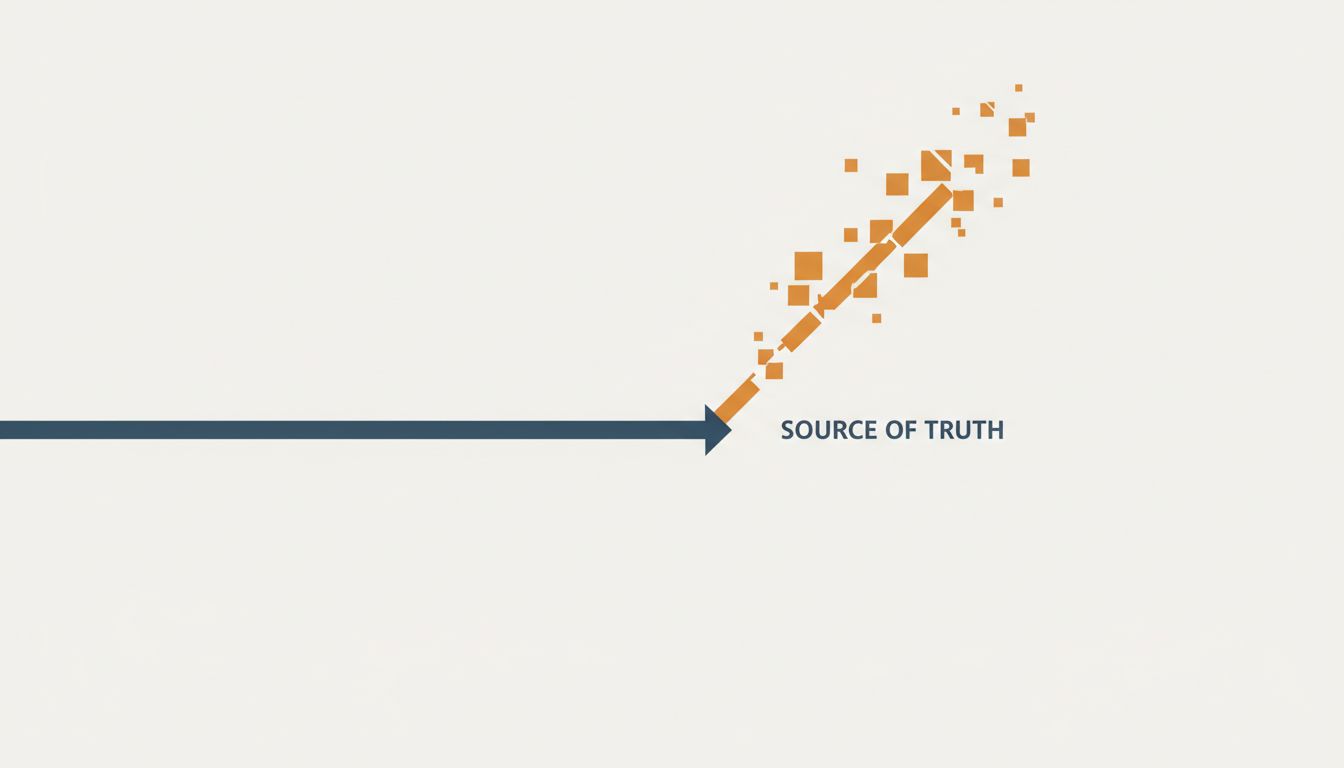
The right mental model isn’t “caching is dangerous, cache less.” Caching is essential and the performance benefits are real. The right model is: every cached item is a promise about how recently you checked the source of truth, and you should know what that promise is worth before you make it.
A few concrete practices follow from that:
Classify your data by staleness tolerance. Static content (images, CSS, marketing copy) can tolerate long TTLs. User-specific state (balances, cart contents, permissions) should either have very short TTLs or be invalidated immediately on write. Inventory and pricing are somewhere in between, depending on your business. Write this down. Treat it as policy, not a default.
Use cache keys that reflect what makes data unique. If a response varies by user, by locale, by authentication state, or by any other dimension, the cache key needs to encode that. A cache key that isn’t specific enough will serve one user’s response to another.
Monitor hit rates and miss rates, not just latency. A high cache hit rate feels good but tells you nothing about whether the hits are correct. Track how often your cache is returning data that’s older than your stated staleness tolerance. This requires instrumenting your cache writes with timestamps, which most teams don’t do.
Test invalidation explicitly. Most teams test that their cache returns data. Far fewer test that the cache correctly discards data when the underlying source changes. Write tests for invalidation paths. Treat a cache that doesn’t invalidate as a bug, not a performance optimization.
Staleness in a cache is a silent bug in a specific sense: it rarely throws an error, rarely triggers an alert, and often looks like correct behavior until you compare it carefully against ground truth. The system is confident. The data is wrong. That combination is what makes it dangerous.
The fix isn’t complicated. It requires treating cache configuration as a product decision, not an infrastructure default, and revisiting it as your data and your users’ stakes evolve.