
The Simple Version
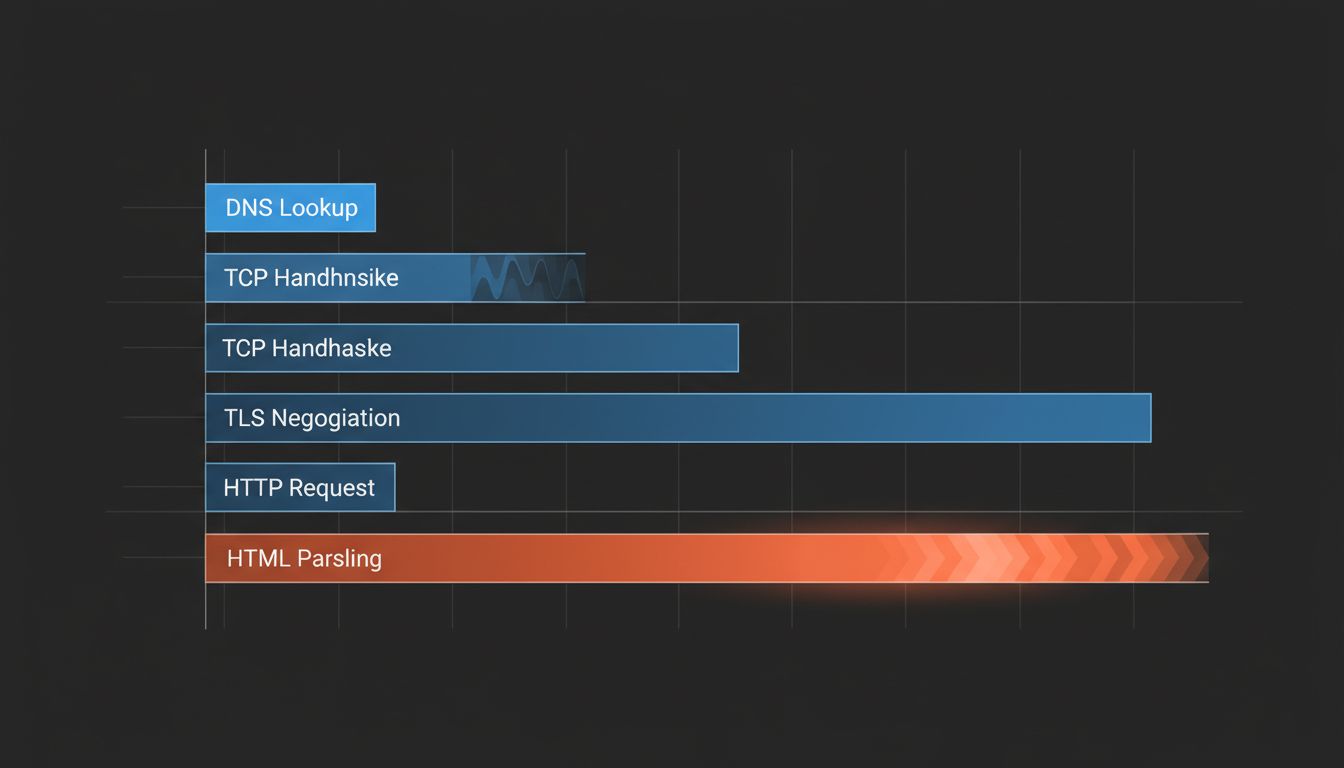
Your browser figures out where the page lives, asks a server for it, and renders what it receives. That takes somewhere between 50 and 500 milliseconds on a good connection, and it involves more steps than most people would guess.
Step One: The Address Book Problem
Before your browser can do anything, it needs to translate the URL you clicked into an IP address, the numerical location of the actual server. This is the Domain Name System (DNS), and it is one of the most underappreciated pieces of infrastructure on the internet.
Type a URL and your computer first checks its own local cache. If it hasn’t visited this domain recently, it asks your router. If the router doesn’t know, the request goes to a recursive resolver, usually operated by your ISP or a third-party provider. That resolver climbs a hierarchy of servers, from root servers down to authoritative nameservers for the specific domain, until it finds the answer.
The whole lookup typically takes 20 to 120 milliseconds. On a loaded page with assets from many different domains, this happens dozens of times, though browsers parallelize aggressively and cache results to avoid repeating work.
Step Two: The Handshake Nobody Sees
Once your browser has an IP address, it needs to open a connection. For an HTTPS site (which is now essentially all of them), this involves two separate negotiations.
First, a TCP handshake: your browser sends a SYN packet, the server replies with SYN-ACK, your browser confirms with ACK. Three messages to establish that both sides are ready to communicate. This takes one round-trip time (RTT), which is the time for a signal to travel to the server and back. For a server in the same country, that might be 20-40 milliseconds. For a server on the other side of the world, it can be 200 milliseconds or more.
Then comes the TLS handshake, which establishes the encrypted connection. Your browser and the server negotiate which encryption protocols to use, the server presents its certificate, and they exchange keys to establish a shared secret that nobody intercepting the traffic can read. In modern TLS 1.3, this takes one additional round trip. In older TLS 1.2, it took two.
You are now, after all of this, ready to actually request the page.
Step Three: The Request and the Response
Your browser sends an HTTP GET request. This is a short text message: essentially “give me this file, here’s what I can accept, here are my cookies.” The server receives it, figures out what to return (sometimes pulling from a cache, sometimes assembling a page dynamically from a database), and sends back an HTTP response.
That response starts with headers describing what’s coming, then delivers the actual content. For a simple page, this might be a few kilobytes of HTML. For a modern web application, it might be megabytes across dozens of separate requests for scripts, stylesheets, fonts, and images.
This is where the architecture of the server matters enormously. A static file served from a CDN can be returned in under a millisecond of server processing time. A dynamically generated page that requires database queries, authentication checks, and calls to third-party APIs might take hundreds of milliseconds before the first byte is sent back. Load balancers are doing much more than just distributing traffic to keep this stage fast at scale.
Step Four: Rendering, Which Is Its Own Ordeal
The browser receives HTML and immediately starts parsing it, building a Document Object Model (DOM), a tree structure representing the page’s content and hierarchy. Simultaneously, it parses CSS to build a separate structure called the CSSOM, which describes how elements should be styled.
Neither of these can produce a visible page on their own. The browser needs to combine them into a “render tree,” calculate the exact pixel position and size of every element (the “layout” or “reflow” stage), and then paint them to the screen.
JavaScript complicates all of this considerably. When the parser encounters a script tag, it traditionally stops and waits for the script to download and execute before continuing, because scripts can modify the DOM. This is why the order and loading strategy of scripts matters so much to page performance, and why attributes like async and defer exist.
The result of all this work is what engineers call the “first contentful paint”: the moment something visible appears. A well-optimized site achieves this in under one second. Many do not.
Why This Feels Instant When It Isn’t
Human perception of delay becomes noticeable around 100 milliseconds. Anything under that feels immediate. The web only consistently achieves that threshold under favorable conditions: fast device, nearby server, warm caches, optimized assets, and a reliable network.
The entire industry of web performance optimization exists to shave time from every one of these stages. CDNs move servers physically closer to users to reduce round-trip latency. HTTP/2 and HTTP/3 allow multiple requests to share a single connection. Preloading hints tell browsers to start DNS lookups and TCP connections before the user even clicks. Browser caches store assets locally so repeat visits skip the network entirely.
A modern page load that feels instant to you has probably had several engineering teams, multiple infrastructure layers, and years of accumulated optimization working in its favor. The milliseconds are doing a lot of work you don’t see.