The browser address bar is one of the most consequential input fields ever designed. You type seven characters, press Enter, and within a second a fully rendered page appears. That second contains more coordinated complexity than most people will ever interact with in a single gesture. Understanding it isn’t just trivia. It explains why some performance problems are hard to fix, why certain security failures are hard to prevent, and why the web works as well as it does given how much can go wrong.
The DNS Lookup Is Doing More Than You Think
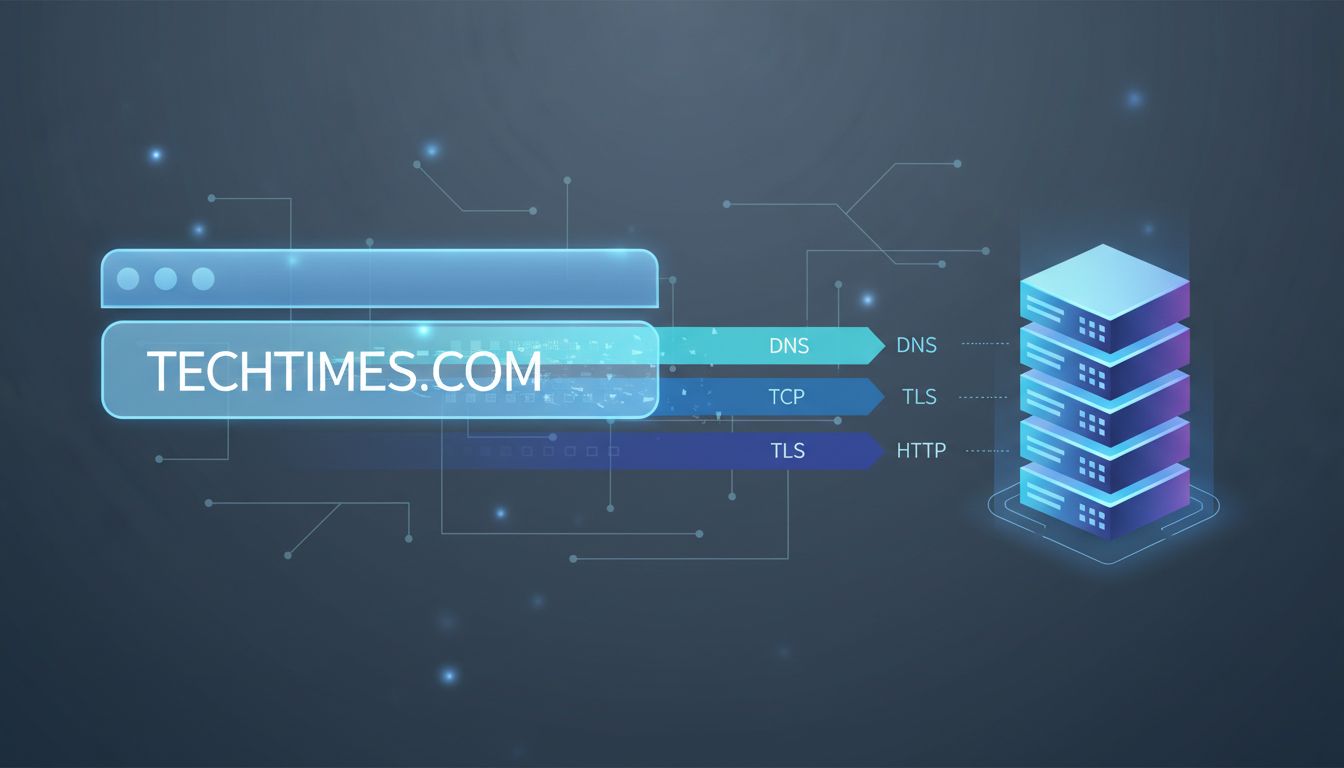
Before a single byte of page content moves, your browser needs to translate the human-readable domain into an IP address. This is DNS, the Domain Name System, and it is both elegant and ancient by internet standards. The protocol dates to 1983, designed by Paul Mockapetris, and it has been patched and extended ever since without ever being replaced.
Your browser first checks its own cache. If it has seen this domain recently and the record hasn’t expired, it skips the rest. If not, it asks your operating system, which checks its own cache, then queries a resolver (usually your ISP’s, or a public one like 1.1.1.1 or 8.8.8.8). That resolver works up a chain: root nameservers, top-level domain servers, authoritative nameservers. Each hop adds latency. A cold DNS lookup on a domain you’ve never visited can take 100 to 300 milliseconds, before the browser has made a single connection to the actual server.
This is why DNS prefetching exists. Browsers like Chrome will resolve domain names for links on the current page before you click them, speculating that you might. It’s a small trick with measurable impact. It’s also why DNS-over-HTTPS (DoH), now supported by all major browsers, matters for more than privacy. By routing DNS queries through encrypted HTTPS connections rather than plaintext UDP, it closes an interception channel that had been open for four decades.
The TCP Handshake and Why TLS Adds a Round Trip
Once the browser has an IP address, it opens a connection using TCP, the Transmission Control Protocol. TCP is reliable by design: it guarantees that packets arrive in order and without corruption. That reliability costs a handshake. Your machine sends a SYN packet. The server responds with SYN-ACK. Your machine sends ACK. Only then does actual data flow. One round trip, added before a single byte of application data moves.
If the site uses HTTPS (and essentially every site worth visiting does), there’s a TLS handshake layered on top. In TLS 1.2, this added two more round trips. TLS 1.3, finalized by the IETF in 2018, cut that to one, and supports a “0-RTT” resumption mode for repeat visitors that collapses it further. These improvements weren’t theoretical wins. They shaved measurable latency off page loads at scale.
During the TLS handshake, the server presents its certificate. The browser verifies that it was signed by a trusted Certificate Authority, checks that it hasn’t been revoked, and confirms it matches the domain. This chain of trust is the foundation of authenticated web browsing. It is also a single point of failure that has been exploited: in 2011, the Dutch CA DigiNotar was compromised, and fraudulent certificates for Google, Mozilla, and the CIA were issued before the breach was discovered. DigiNotar was removed from trusted root stores and went bankrupt within weeks.
The HTTP Request and What Comes Back
With a connection established, the browser sends an HTTP request. At minimum, this is a GET request for the path you specified, along with headers: the domain name, accepted encoding formats, cookies for that domain, and information about the browser itself. A modern browser sends a dozen or more headers by default.
The server parses the request, routes it to application logic, generates a response, and sends it back. That response includes status codes (200 for success, 301 for permanent redirect, 404 for not found), response headers, and the body (the actual HTML). This is the moment where infrastructure choices become visible. A server sitting behind a CDN with aggressive caching might return your request in 10 milliseconds from an edge node 50 miles away. An origin server handling every request dynamically might take 500 milliseconds or more.
HTTP/2, introduced in 2015, changed the transport model significantly. It allows multiple requests and responses over a single TCP connection simultaneously (multiplexing), compresses headers, and lets servers push resources to clients before they’re explicitly requested. HTTP/3, which runs over QUIC instead of TCP, goes further, eliminating head-of-line blocking entirely. The web’s application protocol has been quietly rebuilt while its surface stayed the same.
Rendering Is Where the Browser Earns Its Keep
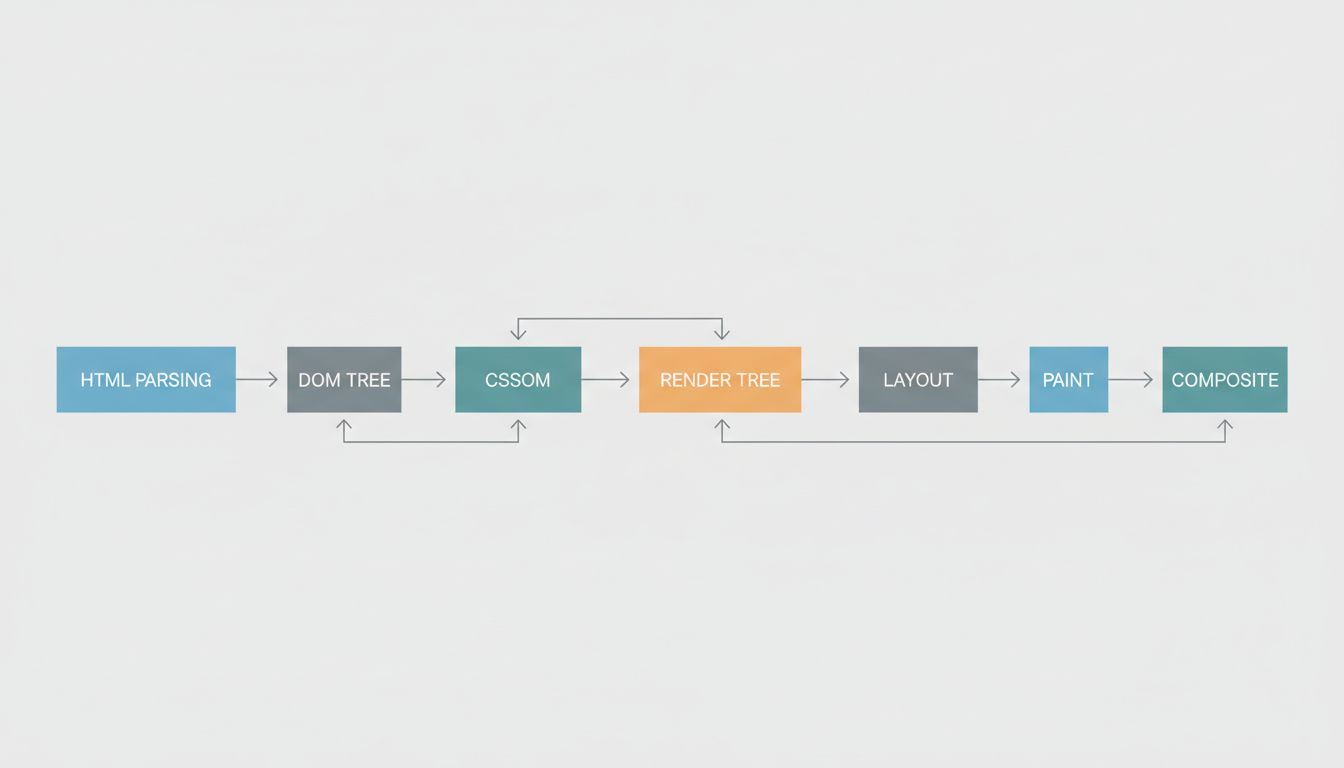
When the HTML arrives, the browser begins parsing it into a DOM tree. As it encounters references to external resources (CSS files, JavaScript, images, fonts), it fires additional requests for each one. CSS blocks rendering: the browser won’t paint anything until it has the styles. JavaScript, unless marked async or defer, also blocks parsing. This is why the placement of script tags in HTML is not a stylistic concern but a performance one.
Once the browser has both the DOM and the CSSOM (the CSS Object Model, built from parsed stylesheets), it combines them into a render tree. Layout follows, calculating the size and position of every element. Then painting, where the browser converts layout information into actual pixels. Then compositing, where layers are assembled in the correct order.
All of this is happening against a clock. Google’s Core Web Vitals, which now factor into search ranking, measure Largest Contentful Paint (how long until the main content appears), Interaction to Next Paint (how quickly the page responds to input), and Cumulative Layout Shift (how much the layout jumps around while loading). These aren’t arbitrary benchmarks. They are proxies for whether the page feels usable, and the work happening in the milliseconds before a page loads can make or break all three.
A Second of Complexity, Decades of Accumulation
The entire sequence from keystroke to rendered page involves protocols from the 1980s (DNS, TCP), standards from the 1990s (HTTP/1.1, TLS antecedents), and machinery built in the last decade (TLS 1.3, HTTP/3, modern rendering pipelines). None of it was designed as a unified system. It accumulated, layer by layer, through a process that would horrify any architect who saw the spec before the working product.
And yet it works. Not just adequately but extraordinarily well, at a scale that would have seemed implausible to the engineers who built the early pieces. What looks like a seamless interaction is really a negotiation between your device, a resolver, a CDN edge node, an origin server, a certificate authority’s trust chain, and a rendering engine that has been hand-tuned over decades. The abstraction holds so well that most people never think about what’s underneath. That invisibility is the real engineering achievement.